OpenAI Codex Remote has quietly become one of the most important AI developer updates of 2026.
Not because it writes code from your phone.
That would be the wrong way to think about it.
The bigger shift is this: your phone can now act like a live command center for long-running AI coding work happening on your real development machine.
OpenAI confirmed in its Codex changelog that Codex Remote reached general availability on June 25, 2026. The feature lets users start or continue work from the ChatGPT mobile app, connect to a Mac or Windows host, review progress, and approve actions from a phone.
In my experience, this is exactly where AI coding agents start to feel less like chatbots and more like junior technical teammates. You are no longer stuck babysitting a terminal window. You can leave a task running, step away, and still steer it when judgment is needed.
That sounds small until you try to use agents for real software work.
What Is OpenAI Codex Remote?
OpenAI Codex Remote is a remote-control layer for Codex, OpenAI’s coding agent.
It lets you use the ChatGPT mobile app to monitor and guide Codex while the actual work happens on a connected computer or remote development environment.
According to OpenAI’s Codex mobile announcement, Codex can stay connected across laptops, devboxes, and remote environments. The phone shows active threads, approvals, terminal output, screenshots, test results, diffs, plugins, and project context.
That distinction matters.
Your phone is not replacing your development machine. It is not becoming a tiny IDE. Your files, credentials, local tools, and permissions stay on the host machine. The mobile app becomes the place where you check progress, answer questions, approve commands, change direction, or start a new task while away from your desk.
Why This Update Is Trending Now
The timing is important.
AI coding tools have moved through three phases very quickly:
- Autocomplete inside editors
- Chat-based coding assistants
- Agentic tools that inspect projects, run commands, edit files, test changes, and wait for approvals
Codex Remote sits firmly in the third phase.
It is built for work that takes more than one prompt. Bug investigations, refactors, test fixes, UI polish, release prep, migration work, and code reviews often need several back-and-forth decisions. If the agent gets blocked while you are away from the keyboard, the work stops.
Mobile steering changes that rhythm.
You can approve a safe command during a commute. You can ask for a different implementation direction between meetings. You can review a diff before getting back to your laptop. You can start a new thread when an idea is fresh instead of waiting until later.
That is why developers, product teams, and technical founders are paying attention.
Codex Remote At A Glance
| Feature | What It Means | Why It Matters |
|---|---|---|
| Mobile control | Use ChatGPT mobile to manage Codex work | You can keep coding tasks moving away from your desk |
| Mac and Windows host support | Codex connects to supported desktop hosts | More developers can use it in their normal setup |
| Live progress review | See terminal output, screenshots, tests, and diffs | You can inspect the agent’s work before approving next steps |
| QR pairing | Authenticated one-to-one pairing between device and host | Remote access is tied to approved devices |
| Remote environments | Support for SSH-based development environments | Teams can use managed machines instead of personal laptops only |
| DigitalOcean plugin | Codex can provision and connect a Droplet workspace | Remote workspaces become easier for builders and small teams |
The Simple Explanation
Imagine you ask Codex to fix a flaky test before leaving for lunch.
Codex opens the repo on your computer, reads the failing test, runs the suite, edits the relevant file, and finds that there are two possible fixes.
Old workflow: the task waits until you return.
Codex Remote workflow: your phone shows the decision point. You read the short explanation, choose the safer fix, approve the next command, and let Codex continue.
That is the real value.
It reduces dead time in agentic workflows.
What Changed With General Availability?
OpenAI first brought Codex into the ChatGPT mobile app in preview in May 2026. TechCrunch covered the move at the time, noting that OpenAI was pushing Codex beyond a desktop-only coding experience and into mobile supervision for agentic work.
The June 25 general availability update makes the feature feel more production-ready.
The official changelog says Codex Remote now supports starting or continuing work on connected Mac or Windows hosts, reviewing progress, and approving actions from a phone. It also adds authenticated one-to-one QR pairing between each iOS or Android device and each host.
That is important because remote coding agents touch sensitive things:
- Source code
- Terminal commands
- Local files
- Environment variables
- Private repositories
- Deployment scripts
- Internal documentation
Any remote-access feature for AI coding needs to be judged through a security lens. Convenience is useful, but only if the permission model is clear.
Why Developers Should Care
Most coding assistants still depend on a very active human sitting at the keyboard.
You ask. It answers. You copy. You run. You paste the error. It tries again.
Agents are different.
A coding agent can work through a task in steps. It can inspect a codebase, run tests, make edits, explain the diff, and ask for permission when it reaches a risky action.
That style of work is powerful, but it has a bottleneck: the human decision loop.
If you are not available when the agent needs a decision, the task pauses.
Codex Remote makes the human decision loop portable.
That is a very practical improvement for developers who already live with interruptions. Meetings, calls, meals, travel, and context switches are normal. A mobile approval flow means your agent does not have to sit idle every time you leave the laptop.
Real-World Use Cases
Here are the workflows where Codex Remote makes the most sense.
1. Bug Investigation
You can ask Codex to investigate a bug, reproduce it, inspect logs, and propose a fix while you are away.
If it needs permission to run a command or choose between two approaches, you can respond from the phone.
This is especially useful when the bug is annoying but not urgent enough to block your whole day.
2. Test Fixes
Test failures often involve a lot of waiting.
Run the suite. Read the failure. Patch the file. Run again. Repeat.
Codex is a good fit for this kind of loop because the feedback is concrete. Codex Remote makes it easier to check progress without sitting in front of the terminal the entire time.
3. Code Review Prep
Before opening a pull request, you can ask Codex to review the changed files, look for missing tests, check naming consistency, and prepare a clean summary.
From your phone, you can approve the final pass or ask it to focus on a specific area.
4. Refactoring Work
Refactors are where agentic tools either shine or fail loudly.
Codex Remote does not remove the need for human review. But it does help you steer the work at checkpoints. You can tell the agent to keep the public API stable, avoid touching unrelated files, or stop after a scoped change.
5. Customer Support Engineering
OpenAI’s own article gives an example of using Codex to prepare for a fast-moving customer conversation. That use case is underrated.
A support engineer could ask Codex to summarize recent Slack messages, inspect a repo, check a known issue, and prepare a short technical brief before a call.
The mobile layer makes that possible while moving between meetings.
6. Founder And Solo Builder Workflows
For solo founders, this could be one of the most useful forms of AI automation.
You can start a task from your phone, let the agent work on a connected machine, and review the result later. It is not magic. It still needs good prompts, a clean repo, and careful review. But it can turn small gaps in the day into real progress.
Codex Remote vs Traditional Coding Assistants
| Area | Traditional Assistant | Codex Remote |
|---|---|---|
| Main interaction | Chat or autocomplete | Agent threads with remote mobile steering |
| Where work happens | Usually inside editor or browser | Connected desktop or remote host |
| Best for | Small code suggestions and explanations | Longer coding tasks with checkpoints |
| Human role | Constant operator | Reviewer, approver, and decision maker |
| Mobile usefulness | Limited | High for monitoring and approvals |
| Risk level | Lower because actions are usually manual | Higher because agents can run commands and edit files |
What Stood Out To Me
What stood out to me is that OpenAI is not positioning mobile Codex as a toy.
The company is talking about approvals, SSH environments, scoped credentials, hooks, enterprise workflows, and secure relay infrastructure.
That tells us where this is going.
AI coding is moving away from “ask a question, get a snippet” and toward “delegate a scoped task, supervise the work, approve the risky parts, and review the final diff.”
That is a healthier framing.
Developers should not blindly accept AI-generated patches. But they also should not underestimate how much useful engineering work can be prepared by an agent before a human does the final review.
Security And Governance Considerations
Every team considering Codex Remote should pause here.
Remote access to a coding agent is convenient. It also expands the surface area of your workflow.
Before using it on serious projects, teams should define clear rules:
- Which repositories can Codex access?
- Which commands require approval?
- Can Codex access production secrets?
- Should agent work happen in a local machine, remote devbox, or sandbox?
- Who is allowed to pair mobile devices with hosts?
- How are logs, diffs, and approvals reviewed?
- What happens if a phone is lost?
OpenAI says Codex uses a secure relay layer and authenticated device-host pairing. That is a good start. But company policy still matters.
For most teams, the safest approach is simple: keep Codex away from production secrets, run it in controlled development environments, use branch-based workflows, and require human review before merging or deploying anything.
Pros And Cons
| Pros | Cons |
|---|---|
| Keeps long-running coding tasks moving | Requires careful permission and device management |
| Lets developers approve decisions from mobile | Can create a false sense of progress if prompts are vague |
| Works with real project context on a host machine | Still needs human code review before merging |
| Useful for debugging, tests, refactors, and review prep | Not ideal for deeply architectural decisions without active supervision |
| Supports a more flexible engineering rhythm | Mobile screens are not great for reviewing large diffs |
How This Fits Into The Bigger AI Agent Trend
OpenAI is not the only company pushing toward agentic work.
Anthropic has been moving aggressively with Claude Code. GitHub Copilot is adding more repository-aware and review-focused features. Startups are building agents for support, finance, sales, design, data analysis, and operations.
But Codex Remote is interesting because it changes the daily workflow.
It makes the agent feel present even when you are not at the desk.
OpenAI’s research article on how agents are transforming work says Codex usage inside OpenAI has grown sharply across departments. It notes that research, customer support, engineering, and legal teams all increased agentic usage over a six-month period.
Axios also reported that Codex usage is becoming more substantial, especially as agents handle tasks that represent meaningful chunks of human work rather than quick chatbot exchanges.
That is the industry context: AI agents are becoming less experimental and more operational.
Who Should Try Codex Remote First?
Codex Remote is most useful for people who already have a real coding workflow.
It is worth trying if you are:
- A developer who uses Codex for bug fixes or tests
- A founder shipping product updates alone
- A technical product manager who works closely with repos
- A support engineer who investigates code-level issues
- A team lead who wants faster review prep
- A DevOps engineer using remote development hosts
It is probably not the best first AI coding tool for complete beginners.
You still need to understand what the agent is doing. You need to review changes. You need to know when to stop it.
Honestly, the best users will be people who already know how to break a task into safe steps.
Best Practices For Using Codex Remote
Here is the practical checklist I would use.
Start With Small Tasks
Do not begin with a major rewrite.
Start with a failing test, a small bug, a documentation cleanup, a dependency warning, or a focused UI fix.
Use Clear Boundaries
Tell Codex what it can touch and what it should avoid.
For example: “Fix the failing checkout test. Do not change API contracts. Do not modify unrelated files. Stop and ask before changing database schema.”
Review Diffs Carefully
The phone is good for steering. Your full machine is better for final review.
Use mobile for progress checks and approvals, but review important diffs on a larger screen before merging.
Keep Secrets Out Of Reach
Do not give an agent access to production credentials unless your organization has a serious governance model in place.
Use Branches
Let Codex work on isolated branches or worktrees. That keeps experimentation separate from your main line of code.
Ask For A Summary
Before accepting changes, ask Codex to summarize what it changed, why it changed it, what tests it ran, and what risks remain.
SEO And Developer Interest Signals
From a search perspective, this topic has strong intent because it combines several rising keyword clusters:
- OpenAI Codex Remote
- Codex mobile app
- AI coding agent
- ChatGPT coding assistant
- AI agents for developers
- Codex Windows support
- Remote coding agent
- Claude Code vs Codex
The search intent is also practical. People want to know what changed, how it works, whether it is safe, who can use it, and whether it is better than existing coding assistants.
That makes Codex Remote a strong Google Discover and AI Overview topic because it is fresh, specific, and tied to a broader industry trend.
Future Predictions
This is where things get interesting.
I do not think mobile steering is the final form of AI coding agents. It is an early signal.
Here is what likely comes next:
- More approval workflows inside mobile apps
- Better summaries of agent work for non-technical managers
- Deeper integrations with GitHub, Linear, Slack, and CI tools
- Agent dashboards for teams, not just individual developers
- More secure remote dev environments for agent execution
- Policy controls for what agents can run, edit, and access
- More competition between Codex, Claude Code, Copilot, and open-source agents
The winners will not be the tools that generate the most code. The winners will be the tools that fit safely into real engineering workflows.
FAQ: OpenAI Codex Remote
What is OpenAI Codex Remote?
OpenAI Codex Remote lets you use the ChatGPT mobile app to start, monitor, steer, and approve Codex coding tasks running on a connected Mac, Windows host, or remote development environment.
Is Codex Remote generally available?
Yes. OpenAI’s Codex changelog says Codex Remote reached general availability on June 25, 2026.
Does Codex Remote write code on my phone?
Not exactly. The work happens on your connected host machine or remote environment. Your phone is used to supervise, approve, review, and steer the agent.
Does Codex Remote support Windows?
OpenAI’s June 25 changelog says Codex Remote can start or continue work on a connected Mac or Windows host.
Is Codex Remote safe?
It can be safe when configured carefully. OpenAI mentions authenticated QR pairing and secure relay infrastructure, but teams should still use least-privilege access, controlled environments, branches, approvals, and human code review.
Who should use Codex Remote?
Developers, technical founders, support engineers, product engineers, and team leads who already use Codex for real coding tasks will benefit most.
Can beginners use Codex Remote?
Beginners can try it, but they should start with low-risk tasks. Codex Remote is most useful when the user understands code changes well enough to review them.
How is Codex Remote different from ChatGPT on mobile?
ChatGPT mobile is mostly conversational. Codex Remote connects to active coding work on a host machine, including project context, approvals, terminal output, test results, and diffs.
Can Codex Remote replace a developer?
No. It is better understood as an agentic assistant that can prepare work, investigate issues, and propose changes. A human still needs to review architecture, safety, correctness, and final code quality.
What are the best first tasks for Codex Remote?
Good first tasks include fixing a failing test, investigating a small bug, summarizing a codebase area, preparing a pull request summary, or cleaning up documentation.
Does Codex Remote work with remote development environments?
Yes. OpenAI says Codex can work with remote SSH environments and that connected environments can be accessible across authorized ChatGPT devices.
What is the biggest limitation of Codex Remote?
The biggest limitation is review quality. A phone is convenient for approvals, but large diffs and sensitive changes still deserve careful review on a full development setup.
Final Thoughts
OpenAI Codex Remote is not just another AI coding feature.
It is a sign that software development is moving toward supervised agentic workflows.
The developer’s role is changing from typing every line to defining tasks, setting boundaries, reviewing evidence, and approving decisions. That does not make engineering easier in every way. In some ways, it raises the bar because bad supervision can produce bad code faster.
But when used carefully, Codex Remote could save a lot of dead time.
It lets agents keep working while humans move through the day. It keeps the decision loop alive. And it makes AI coding feel less like a tab you open and more like a background teammate you supervise.
For developers and technical founders, this is worth watching closely.
If you are experimenting with AI coding agents, start with one small Codex Remote workflow this week: a failing test, a small bug, or a review summary. Keep the task scoped, review the diff carefully, and treat the agent like a junior teammate whose work needs verification.
Suggested Visuals
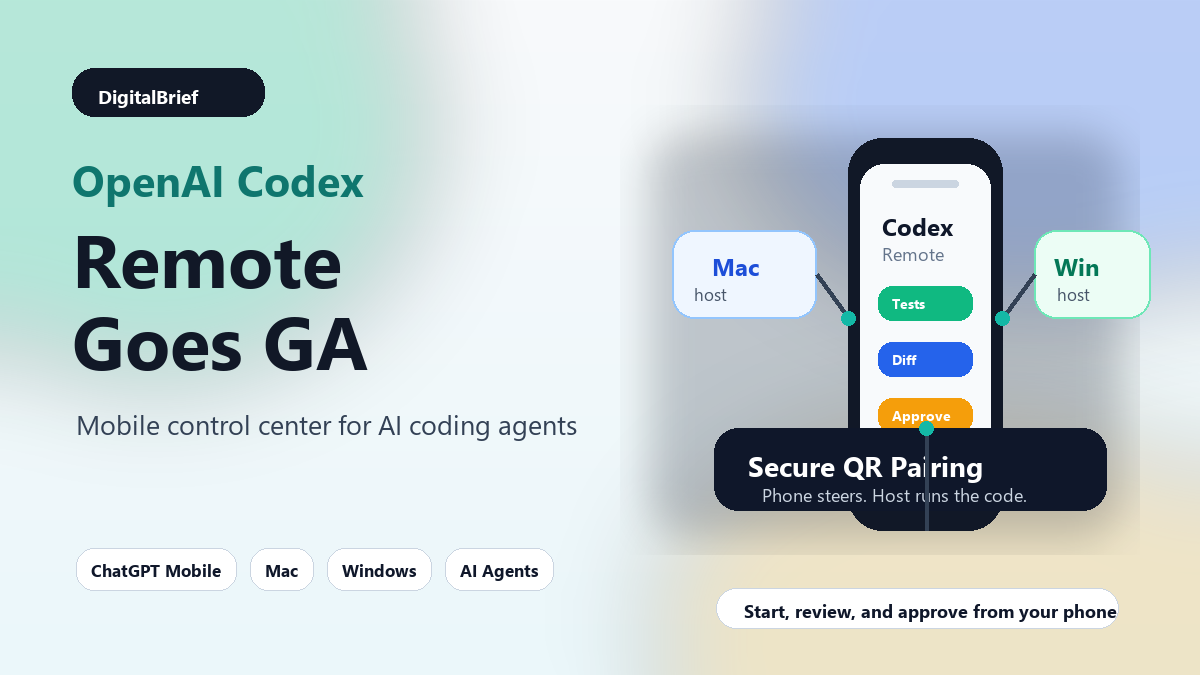
- Featured image: Phone dashboard controlling Codex on Mac and Windows hosts
- Infographic: “Old coding assistant workflow vs Codex Remote workflow”
- Chart idea: AI coding tools moving from autocomplete to chat to agents
- Table graphic: Best Codex Remote use cases by developer role