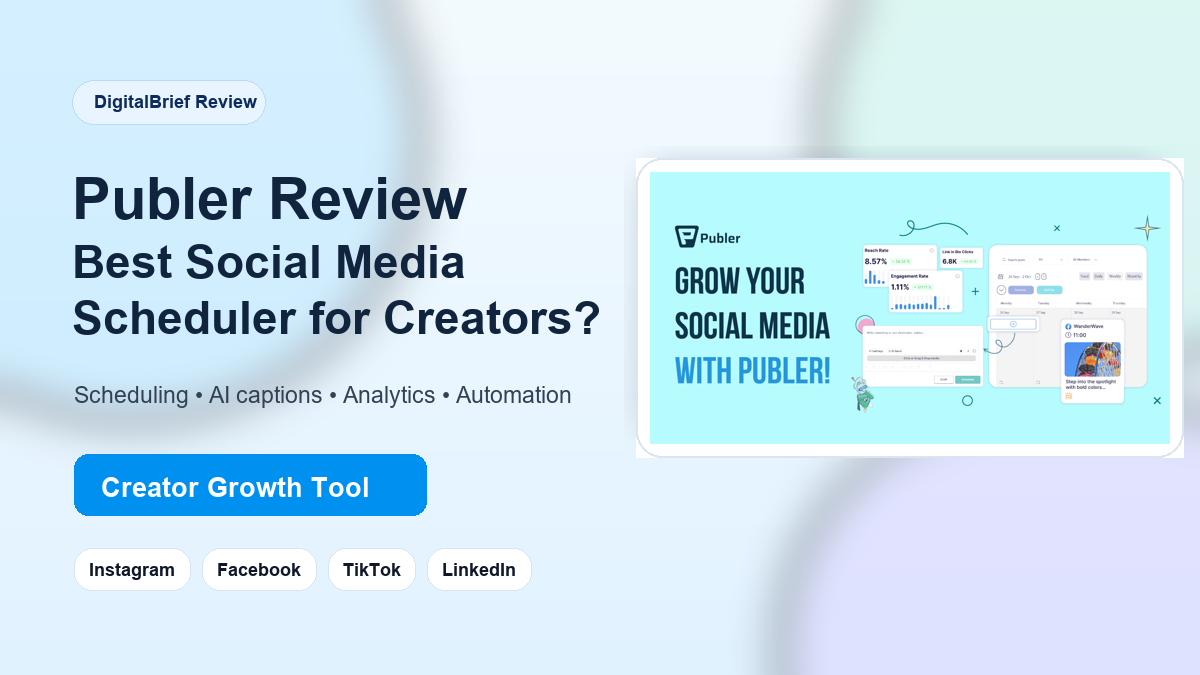
Publer Review 2026: Publer is a strong social media management and scheduling tool for creators, freelancers, small businesses, and agencies that want to plan, schedule, recycle, collaborate on, and analyze social content from one dashboard. If your biggest problem is staying consistent on Instagram, Facebook, LinkedIn, TikTok, Pinterest, YouTube, Threads, X, Bluesky, Mastodon, Google Business, Telegram, or even WordPress, Publer is worth shortlisting.
Disclosure: This DigitalBrief review includes an affiliate link. If you try Publer through our link, we may earn a commission at no extra cost to you. Our goal is still simple: help you choose the right tool without hype.
Try Publer here:
Start planning, scheduling, and analyzing your social media content with Publer.

What Is Publer?
Publer is a social media scheduler and management platform built to help you plan content, publish across multiple channels, collaborate with a team, and measure what is working. On Publer’s official site, the core promise is simple: manage, automate, and track social media success in one place.
That matters because most creators do not fail because they lack ideas. They fail because publishing becomes messy. One post goes to Instagram, another to Facebook, the LinkedIn version needs a different caption, the TikTok video is waiting, and by the time you sit down to publish, the momentum is gone. Publer tries to solve that by turning content into a repeatable system.
At DigitalBrief, we look at tools through one practical question: does it help a creator or small business save time and publish better content more consistently? Publer does that better than many basic schedulers because it combines scheduling, AI assistance, content calendar planning, integrations, analytics, and automation features in the same workflow.
Who Is Publer Best For?
Publer is a good fit if you are a creator, blogger, freelancer, social media manager, agency owner, coach, local business, or startup trying to keep multiple social channels active without living inside every app all day.
It is especially useful for people who manage content in batches. For example, you can sit down once a week, draft captions, customize posts for each platform, schedule content on a calendar, and let Publer handle the publishing rhythm. If you post manually every day, that shift alone can feel like getting several hours back.
Publer Review 2026 Key Features
1. Multi-Platform Scheduling
Publer supports publishing workflows for major platforms including Facebook, Instagram, TikTok, LinkedIn, X/Twitter, Threads, Pinterest, YouTube, Google Business, Telegram, Mastodon, Bluesky, and WordPress. This is one of the biggest reasons creators like it: you can run a cross-platform content system without constantly switching tabs.
For Instagram, Publer highlights planning and previewing feeds, scheduling posts, carousels, reels, and stories, plus access to insights. For Facebook, it supports managing pages, groups, and profiles from one dashboard. For LinkedIn, it supports profiles and company pages. These details make Publer more than a simple “post later” tool.
2. Calendar Planner
The calendar is the feature I would point beginners to first. A content calendar helps you see the full month instead of thinking post by post. You can map campaigns, product promotions, newsletter pushes, trending topics, and evergreen posts in one place.
This is where Publer feels friendly for creators. You do not need a complicated enterprise dashboard to understand your week. You can simply see what is scheduled, what needs approval, and where the gaps are.
3. AI Assistant for Captions, Ideas, Hashtags, and Images
Publer includes AI assistance for creating social media content. On its site, Publer describes AI features for generating engaging content, and its integrations page also references OpenAI support for captions, hashtags, images, and ideas.
For creators, this is useful when you already know the message but need help shaping it into a caption. For example, a blog post can become a LinkedIn post, an Instagram carousel caption, a Facebook page update, and a short TikTok hook. The AI does not replace your strategy, but it can speed up the first draft.
4. Bulk Scheduling
Publer says users can schedule up to 500 posts at once using a CSV file or other bulk options. This is powerful for agencies, content teams, and anyone running recurring content.
If you manage several brands or client pages, bulk scheduling can be the difference between chaos and control. You can prepare campaign content in a spreadsheet, upload it, and organize a large batch instead of manually creating each post one by one.
5. Analytics and Competitor Insights
Scheduling is only half of social media growth. The other half is learning what works. Publer includes analytics so you can make data-informed decisions about content performance. Its tools page also mentions social media competitor analysis for Facebook, Instagram, and X/Twitter.
For a creator, this helps answer practical questions: Which post format got more engagement? Which captions pulled comments? Which platform deserves more attention? Which competitor content is getting traction?
6. Workspaces, Collaboration, and Approvals
Publer includes workspaces and collaboration features for members and clients. That makes it useful for social media managers and agencies where one person creates content, another reviews it, and a client needs approval before publishing.
This is one reason Publer can scale from solo creator to small team. You can start simple, then add structure when your content operation grows.
7. Link in Bio and Content Recycling
Publer includes a link-in-bio feature for Instagram and content recycling for evergreen posts. These are underrated features. A link-in-bio page helps creators drive traffic to offers, articles, YouTube videos, lead magnets, or affiliate pages. Recycling helps your best evergreen posts keep working instead of disappearing after one publish.
Publer Review 2026 Comparison Chart: How It Stacks Up
| Tool | Best For | Strong Points | Creator-Friendly? |
|---|---|---|---|
| Publer | Creators, agencies, small businesses, social media managers | Multi-platform scheduling, AI assistant, bulk scheduling, analytics, workspaces, link in bio, recycling | Very strong |
| Buffer | Simple scheduling and personal brands | Clean interface, easy scheduling, beginner-friendly workflow | Strong |
| Hootsuite | Larger teams and enterprise social media operations | Team management, monitoring, reporting, enterprise workflows | Good, but heavier |
| Later | Visual-first Instagram and TikTok planning | Visual calendar, creator-focused planning, social commerce features | Strong for visual brands |
| SocialPilot | Agencies and small business teams | Scheduling, collaboration, client management, reporting | Good |
The short version: Buffer is simpler, Hootsuite is heavier, Later is very visual, and SocialPilot is agency-friendly. Publer sits in a sweet spot for creators who want power without feeling buried under enterprise complexity.
Why Publer Is Popular With Creators
Creators want three things from a social media tool: speed, consistency, and clarity. Publer speaks directly to those needs.
- Speed: AI content help, bulk scheduling, browser extension, media integrations, and calendar planning reduce repetitive work.
- Consistency: Scheduled posts, recurring posts, and recycling keep your accounts active even when you are busy.
- Clarity: Analytics, post previews, and a visual calendar make it easier to understand your content pipeline.
That is why Publer works well for creators who are also running a business. You can plan content around product launches, affiliate campaigns, YouTube uploads, blog articles, service offers, and lead magnets without losing track of everything.
DigitalBrief Verdict
If you publish on more than two social platforms and want a cleaner workflow, Publer is one of the most practical social media schedulers to try. It is not just for posting. It helps you build a repeatable content engine.
Publer Pros and Cons
Pros
- Supports many major social media platforms from one dashboard.
- Useful AI tools for captions, hashtags, ideas, and content generation.
- Bulk scheduling is excellent for agencies and batch creators.
- Workspaces and approval features make it team-friendly.
- Includes link-in-bio, analytics, content recycling, and free tools.
- Good balance between ease of use and advanced functionality.
Cons
- New users may need a little time to explore all features.
- Pricing can vary depending on social accounts, members, and billing frequency, so check the live pricing page before buying.
- If you only manage one platform manually, Publer may be more tool than you currently need.
Publer Pricing: What Should You Know?
Publer has a free plan for people getting started, and its pricing can scale based on social accounts, additional members, and billing frequency. Publer’s pricing page also explains that yearly billing offers two months free. Because plan details can change, I recommend checking the latest pricing directly before upgrading.
For most creators, the smart move is simple: start with the free option, connect a few social accounts, test your weekly workflow, then upgrade only when you know Publer is saving time or improving output.
My Practical Publer Workflow for Creators
If I were using Publer for a creator brand, I would keep the workflow simple:
- Collect content ideas from blog posts, YouTube scripts, customer questions, and trending topics.
- Use Publer’s AI assistant to create first-draft captions and hooks.
- Customize each post for Instagram, Facebook, LinkedIn, TikTok, or X instead of copying the same caption everywhere.
- Schedule posts inside the calendar for the next 7 to 14 days.
- Review analytics weekly and recycle the strongest evergreen posts.
This gives you a clean content machine without overcomplicating the process.
Final Verdict: Is Publer Worth It?
Yes, Publer is worth trying if you are serious about social media consistency. It is especially valuable for creators and small teams who want to publish across multiple platforms, use AI to speed up content creation, manage approvals, and track performance without jumping between five different tools.
It may not be necessary if you only post casually on one platform. But if your social media is connected to your business, content brand, affiliate marketing, client work, or lead generation, Publer can become a practical part of your growth stack.
My recommendation: test it with your next batch of content. If it saves you time in the first week, it is probably a tool worth keeping.
Frequently Asked Questions About Publer
Is Publer good for beginners?
Yes. Publer is beginner-friendly enough for creators and small businesses, but it also includes advanced features like bulk scheduling, analytics, workspaces, approvals, recycling, and AI content support.
Can Publer schedule Instagram posts?
Yes. Publer supports Instagram planning and scheduling workflows, including posts, carousels, reels, stories, feed preview, and insights according to its integration information.
Does Publer work with Facebook?
Yes. Publer supports Facebook publishing workflows, including pages, groups, and personal profiles from one dashboard.
Does Publer have AI tools?
Yes. Publer includes AI-assisted features for creating social content, and its integrations mention AI help for captions, hashtags, images, and ideas.
Can agencies use Publer?
Yes. Publer is suitable for agencies because it includes workspaces, team collaboration, approval workflows, bulk scheduling, analytics, and multiple account management.
Is Publer free?
Publer offers a free plan for individuals getting started. Paid plans and limits can change, so always check the official pricing page for current details.
What are the best Publer alternatives?
Popular Publer alternatives include Buffer, Hootsuite, Later, SocialPilot, Planable, Metricool, ContentStudio, and Agorapulse. Publer stands out for creators because it combines scheduling, AI, bulk posting, workspaces, analytics, and many integrations in one workflow.
Is Publer better than Buffer?
Buffer is excellent for simple scheduling. Publer may be better if you want more creator and agency features such as bulk scheduling, recycling, workspaces, AI assistance, and broader workflow automation.
Can Publer help with content consistency?
Yes. Publer’s calendar planner, recurring posts, recycling, bulk scheduling, and cross-platform publishing features are designed to help users stay consistent without manually posting every day.
Should creators use Publer?
If a creator publishes across multiple platforms or wants to batch content weekly, Publer is a strong choice. It saves time, keeps content organized, and gives a clearer view of what is scheduled and what is performing.