Claude Tag Explained: Anthropic’s Slack AI Agent for Team Workflows
Claude Tag Explained: Slack is becoming one of the most important battlegrounds for AI agents.
Not because chat apps are new. They are not.
But because team chat is where work actually gets messy.
People ask half-formed questions. Product decisions sit inside long threads. Engineers drop context in one channel. Sales teams discuss customer objections in another. Someone says “let’s follow up next week” and then everyone forgets.
Anthropic’s new Claude Tag feature is aimed directly at that problem.
On June 23, 2026, Anthropic introduced Claude Tag, a Slack-native way for teams to bring Claude into channels, assign work, and let the AI build context over time. It is currently available in beta for Claude Enterprise and Claude Team customers.
At a simple level, you tag @Claude in Slack and ask it to do something.
At a deeper level, Anthropic is trying to turn Claude from a private assistant into a shared team member.
That is why this launch matters.
Claude Tag is not just another chatbot integration. It is a sign of where workplace AI is going: persistent, permissioned, channel-aware, asynchronous, and much closer to the daily flow of work.
| Feature | What it means | Why teams care |
|---|---|---|
| Slack-native @Claude | Teams can mention Claude inside selected Slack channels. | The AI joins work where conversations already happen. |
| Shared channel memory | Claude learns relevant context from the channels it is allowed to access. | Teams do not need to repeat background details every time. |
| Tool and data access | Admins can connect Claude to approved tools, data, and codebases. | Claude can move beyond answers into useful task execution. |
| Ambient mode | Claude can proactively flag relevant updates if enabled. | It may reduce forgotten follow-ups, stale threads, and missed context. |
Claude Tag Explained: What Is Claude Tag?
Claude Tag is Anthropic’s new way to use Claude inside Slack as a shared AI teammate.
Instead of opening Claude in a separate browser tab, copying context, and pasting the answer back into Slack, teams can bring Claude directly into a channel.
You mention @Claude, describe the task in normal language, and Claude breaks the work into stages. It then responds in the Slack thread with the output, update, draft, analysis, or next step.
Anthropic says Claude Tag starts in Slack because Slack is already a natural home for team collaboration. That is a practical choice. Most workplace AI tools fail when they ask people to move into yet another dashboard.
In my experience, the best automation tools win when they sit inside the workflow instead of asking the workflow to move around them.
Claude Tag replaces the older Claude in Slack app. Anthropic says administrators can opt in during the migration window, and eligible Enterprise and Team organizations are getting launch credits to try it.
Why Claude Tag Is Trending Right Now
Claude Tag landed at an interesting moment.
AI coding tools are already becoming a serious business category. Business Insider reported that GitHub had its “best month ever” in June 2026 as demand for AI coding tools surged, with Copilot competing against Cursor, OpenAI Codex, and Anthropic’s Claude Code.
At the same time, Anthropic has been pushing Claude Code from a solo developer tool toward a broader team workflow platform.
Claude Tag fits that bigger pattern.
It takes the agentic behavior people like in Claude Code and moves it into a multiplayer environment. Instead of one person asking an AI to fix something privately, a whole team can see the request, watch the response, continue the thread, and reuse the context later.
That changes the social shape of AI work.
Most current AI tools are private. You ask a question, get an answer, and maybe paste the result somewhere else. The team often does not see the prompt, the assumptions, the context, or the reasoning trail.
Claude Tag makes the AI interaction visible in the channel where the work is happening.
That visibility could be very useful.
It could also create new problems around noise, cost, permission boundaries, and over-reliance. Honestly, this is the part teams should pay attention to before rolling it out widely.
How Claude Tag Works in Slack
The basic workflow is simple.
- An administrator connects Claude Tag to the Slack workspace.
- The administrator chooses which channels, tools, and data sources Claude can access.
- Team members tag @Claude inside an approved channel.
- Claude reads the available context, plans the task, and works through it.
- Claude replies in the thread with its output or progress update.
That sounds small, but the permission model is the real product.
Anthropic says admins can create separate Claude identities for different teams or use cases. For example, a sales Claude should not share memories with an engineering Claude. A legal Claude should not leak sensitive legal context into a product channel.
This matters because workplace AI is mostly a data-boundary problem.
The model is only one part of it. The bigger question is: what is the AI allowed to see, remember, connect, and do?
Claude Tag vs Claude Code vs Claude in Slack
Claude Tag can be confusing because Anthropic already has several Claude products.
Here is the simple breakdown.
| Product | Best for | Main difference |
|---|---|---|
| Claude Chat | Personal research, writing, analysis, and brainstorming. | Mostly private, prompt-driven assistant workflow. |
| Claude Code | Coding, debugging, repo work, technical automation. | Built for developer workflows and code execution. |
| Claude in Slack | Basic Slack-based Claude help. | Earlier integration with less persistent team context. |
| Claude Tag | Shared team workflows inside Slack. | Persistent channel context, scoped memories, async work, and ambient updates. |
The key phrase is shared team workflow.
Claude Tag is less about asking one-off questions and more about giving Claude a place inside the company conversation.
Best Use Cases for Claude Tag
Claude Tag will probably be most useful in teams where context is scattered and follow-up work is easy to lose.
Here are the use cases that stand out.
1. Product and Engineering Follow-Ups
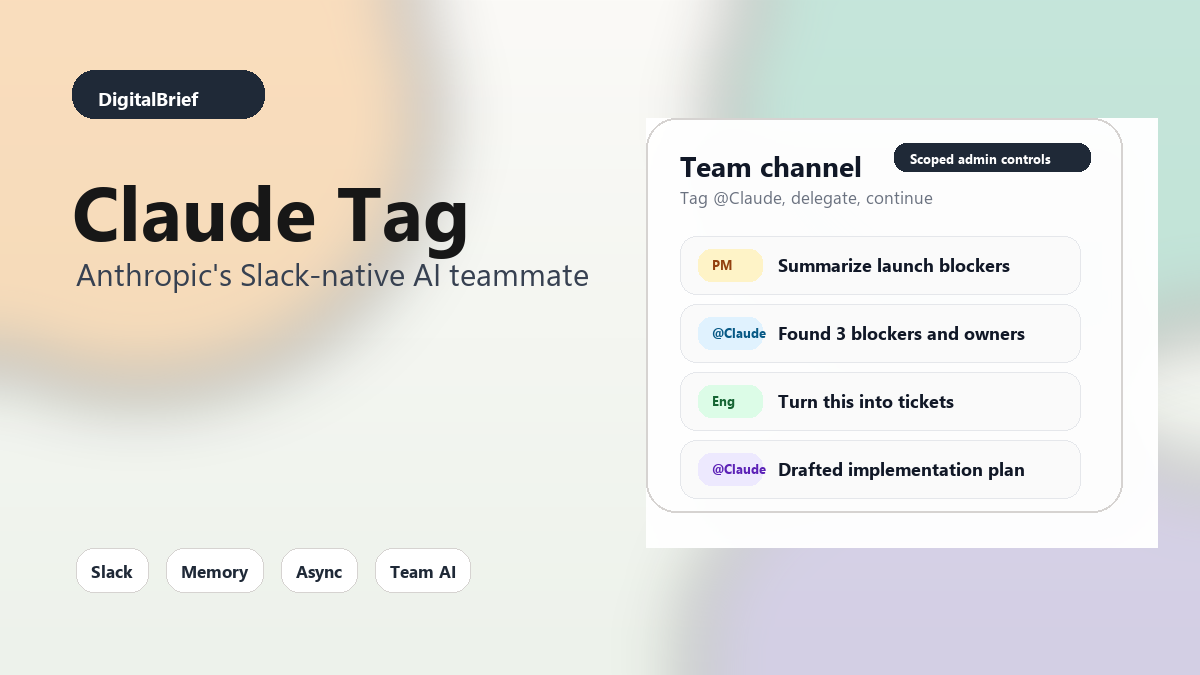
A product manager could tag Claude in a feature discussion and ask it to summarize decisions, list unresolved questions, and turn the thread into engineering tasks.
For busy teams, this is valuable because Slack threads often become informal product specs. The problem is that nobody wants to clean them up later.
2. Bug Triage and Root Cause Notes
An engineering team could tag Claude in an incident channel and ask it to collect symptoms, summarize timeline updates, or draft a postmortem outline.
If connected to approved tools, Claude could potentially pull relevant logs, tickets, or code context. The final call still belongs to humans, but the first draft could save time.
3. Customer Support Escalations
Support teams could use Claude Tag to summarize a customer issue, identify similar past cases, draft a reply, and suggest next actions.
This is where channel memory becomes powerful. If Claude understands how the support team handles a product area, it can produce more useful work than a generic chatbot.
4. Sales and Customer Research
A sales team could tag Claude to pull together account context, summarize objections, draft a follow-up email, or compare a prospect’s needs with existing case studies.
The risk is obvious: sales channels can contain sensitive customer information. Admins need tight permissions before connecting anything important.
5. Internal Knowledge Search
Most companies have a knowledge problem, not a document problem.
The information exists somewhere: Slack, Notion, Google Drive, Jira, GitHub, Linear, Zendesk, Salesforce, or an old meeting note. Finding the right answer is the hard part.
Claude Tag could act as a conversational layer across approved sources, especially for employees who do not know where to look.
What Makes Claude Tag Different?
The interesting part is not that Claude can answer messages in Slack.
Plenty of bots can do that.
The interesting part is that Anthropic is trying to make Claude more ambient and organizationally aware.
Anthropic describes four major advantages: multiplayer collaboration, learning over time, proactive updates, and asynchronous work.
| Advantage | Practical example | Risk to manage |
|---|---|---|
| Multiplayer | Anyone in the channel can see and continue the Claude thread. | More people may assume the output is already reviewed. |
| Learns over time | Claude remembers team-specific context within scoped channels. | Bad or outdated context can become persistent. |
| Proactive | Claude flags a forgotten follow-up or relevant update. | Too many nudges can make Slack noisier. |
| Async | Claude works on a longer task while the team moves on. | Teams need clear ownership and approval checkpoints. |
The Big Benefit: Less Context Switching
The biggest productivity gain may be simple: fewer tab switches.
Right now, a typical AI-assisted workflow looks like this:
- Read a Slack discussion.
- Copy the relevant context.
- Open an AI tool.
- Paste the context.
- Ask the question.
- Copy the answer back into Slack.
- Explain what the AI missed.
That works for small tasks. It breaks down for ongoing team work.
Claude Tag removes some of that friction. The AI can see the thread, answer in place, and continue from previous context. That makes it much more natural for repeated workflows.
Most people miss this: the best AI productivity tools are often not the ones with the flashiest demos. They are the ones that remove small daily frictions a hundred times a week.
The Main Risks: Privacy, Cost, and Slack Noise
Claude Tag also raises serious questions.
None of these are deal-breakers, but they are rollout issues.
Privacy and Permissions
Claude Tag depends on access. If it cannot see enough context, it will not be useful. If it sees too much, it becomes a governance problem.
Teams should start with narrow channels, limited tools, and clear policies. Do not connect sensitive systems on day one just because the setup screen allows it.
Token Cost
Developer discussion on Hacker News quickly focused on token usage and cost. That is fair.
An always-available Slack AI that reads context, remembers channel state, follows up, and works asynchronously could become expensive if teams use it casually.
Anthropic says admins can set monthly spend limits. That should be treated as a required control, not an optional setting.
Information Quality
Slack is not a clean knowledge base.
It contains jokes, stale decisions, wrong assumptions, emotional reactions, and half-finished thoughts. If Claude learns from channels over time, teams need a way to correct or override bad memory.
Notification Fatigue
Ambient mode sounds useful, but proactive bots can become annoying fast.
The best setup will probably be conservative: let Claude follow up in specific project channels, but avoid turning every channel into an AI-assisted notification stream.
Pros and Cons of Claude Tag
| Pros | Cons |
|---|---|
| Works inside Slack where teams already communicate. | Currently limited to Claude Enterprise and Team beta users. |
| Shared channel context makes collaboration easier. | Persistent memory needs strong governance. |
| Can handle async tasks instead of only quick replies. | Costs may rise if teams overuse ambient or long-running tasks. |
| Admin controls can scope access by team or channel. | Bad Slack context can lead to weak or misleading outputs. |
How Teams Should Roll Out Claude Tag
If I were rolling this out inside a company, I would not start with the whole workspace.
I would start with one team, one channel, and one measurable workflow.
For example:
- Use Claude Tag only in a product triage channel for two weeks.
- Give it access to a limited set of docs and tickets.
- Ask it to summarize decisions, identify blockers, and draft issue descriptions.
- Track time saved, output quality, false assumptions, and token cost.
- Expand only if the workflow clearly improves.
This is where things get interesting.
The value of Claude Tag will not come from one magical prompt. It will come from repeatable patterns that teams trust.
SEO and AI Search Angle: Why This Topic Matters
Search interest around AI agents, Slack AI tools, Claude Code, and enterprise AI productivity is growing because people are trying to understand what the next practical layer of AI looks like.
Claude Tag is a strong search topic because it sits at the intersection of several high-intent queries:
- What is Claude Tag?
- How does Claude Tag work in Slack?
- Claude Tag vs Claude Code
- Best AI agents for Slack
- Enterprise AI workflow automation
- Anthropic Claude Team features
For AI search engines, the clearest answer is this: Claude Tag is Anthropic’s Slack-native shared AI agent that lets approved teams tag @Claude in channels, delegate work, use scoped channel memory, and run asynchronous workflows with admin-controlled access.
Future Predictions
Claude Tag feels early, but the direction is clear.
First, every major AI company will push harder into team chat. Slack, Microsoft Teams, Google Workspace, and developer platforms will become major surfaces for agents.
Second, permission design will become a product differentiator. Companies will not trust AI agents unless they can clearly control memory, data access, and action permissions.
Third, AI costs will become a normal IT management topic. Teams will need budgets, usage dashboards, and policies for when an agent should run a cheap model versus a frontier model.
Fourth, the best agents will be judged less by benchmarks and more by workflow reliability. Can they follow up correctly? Can they avoid noise? Can they ask for approval at the right moment? Can they explain what they did?
My take: Claude Tag is one of Anthropic’s most important workplace AI moves because it makes Claude more collaborative. The product may change a lot before general availability, but the basic idea is likely to spread across the industry.
FAQ About Claude Tag
What is Claude Tag?
Claude Tag is Anthropic’s Slack-native AI agent feature that lets teams mention @Claude in Slack channels, delegate tasks, and use shared channel context.
Is Claude Tag available to everyone?
No. Claude Tag is currently available in beta for Claude Enterprise and Claude Team customers.
Does Claude Tag replace Claude in Slack?
Yes. Anthropic says Claude Tag replaces the existing Claude in Slack app, with administrators able to opt in during the migration window.
How is Claude Tag different from Claude Code?
Claude Code is mainly for coding and developer workflows. Claude Tag is designed for shared team workflows inside Slack, including product, support, sales, engineering, and operations tasks.
Can Claude Tag remember Slack conversations?
Claude Tag can build relevant context from the channels it is allowed to access. Anthropic says memories are scoped to administrator-defined channels and use cases.
Can Claude Tag read private Slack channels?
Anthropic says Claude does not report from private channels unless it has been granted the appropriate permission. Admin controls are central to the product.
What is ambient mode in Claude Tag?
Ambient mode lets Claude proactively flag relevant information, follow up on stale tasks, and keep teams updated when that behavior is enabled.
Is Claude Tag safe for sensitive company data?
It depends on configuration. Teams should start with limited access, strict channel scoping, spend limits, and clear human review policies before connecting sensitive systems.
What are the best use cases for Claude Tag?
Strong use cases include product triage, incident summaries, customer support escalations, sales research, meeting follow-ups, and internal knowledge search.
Will Claude Tag increase AI costs?
It can, especially if teams use long-running tasks or proactive ambient behavior heavily. Anthropic includes monthly spend controls, and teams should monitor usage closely.
Final Thoughts
Claude Tag is a practical step toward the AI teammate idea that companies keep talking about.
It is not perfect, and teams should not treat it like a magic employee. It needs permissions, budgets, workflow rules, and human review.
But the direction makes sense.
Work already happens in Slack. Decisions already happen in threads. Context already gets lost in channels. If Claude can help teams capture that context, act on it, and follow up without creating more noise, it could become genuinely useful.
For now, the smartest move is to test Claude Tag on one narrow workflow and measure the result.
If it saves time without creating privacy, cost, or quality issues, expand from there.
Follow DigitalBrief.in for practical AI tool breakdowns, AI workflow guides, and clear analysis of the launches that actually matter for builders, founders, and modern teams.