GitHub Copilot Usage-Based Billing Explained: Why AI Coding Agents Suddenly Feel More Expensive
GitHub Copilot usage-based billing is one of those changes that sounds boring until it hits your actual workflow.
For a lot of developers, Copilot used to feel like a simple monthly tool. You paid for the plan, opened your editor, asked for help, reviewed some suggestions, and moved on.
That mental model changed in June 2026.
GitHub has now moved Copilot plans toward a usage-based billing system built around GitHub AI Credits. Instead of thinking only about a flat subscription, developers now have to think about what kind of AI work they are asking Copilot to do, which model is being used, how much context is being sent, and whether long agentic coding sessions are quietly burning through credits.
Honestly, this is the pricing shift many developers knew was coming. But it still feels sharp because it changes the way AI coding tools are used day to day.
This article breaks down what changed, why GitHub made the move, why developers are reacting strongly, and how teams can keep using AI coding agents without turning every prompt into a billing surprise.
Quick Answer: What Changed With GitHub Copilot Billing?
GitHub Copilot moved to usage-based billing on June 1, 2026. Copilot plans now include a monthly allowance of GitHub AI Credits, and many Copilot features consume those credits based on token usage. Input tokens, output tokens, cached tokens, selected model, and task complexity can all affect the cost.
Some features remain included. GitHub says code completions and Next Edit suggestions stay included in all plans and do not consume AI Credits. But heavier Copilot experiences, especially chat, agentic workflows, and code review, now sit closer to a metered AI model.
The important shift is simple:
- Small editor suggestions still feel like classic Copilot.
- Long AI coding sessions now need cost awareness.
- Agentic coding is no longer just a productivity question. It is also a budget question.
That is why this topic is trending across developer communities.
Why This Became A Big Developer Story
GitHub Copilot is not a niche tool anymore. It is one of the most widely recognized AI coding assistants in the world, and it sits directly inside the daily work of developers, startups, agencies, and enterprise engineering teams.
So when GitHub changes the economics of Copilot, it does not feel like a small pricing update. It feels like a signal for the whole AI coding market.
The timing also matters.
AI coding agents have become more powerful in 2026. They do not just autocomplete a line anymore. They can read larger parts of a repository, generate tests, review pull requests, plan multi-step fixes, refactor files, run commands, and iterate on bugs. That is useful. It is also expensive behind the scenes.
In its official announcement, GitHub said Copilot has evolved from an in-editor assistant into an agentic platform capable of long, multi-step coding sessions. That sentence is basically the whole story.
The old pricing model was designed for a simpler product. The new product behaves more like a cloud compute service.
The New Copilot Pricing Model In Plain English
The new model centers on GitHub AI Credits.
Every plan includes some monthly AI Credits. When you use certain Copilot features, credits are consumed based on the model and the amount of token usage involved. If you use all included credits, paid plans can buy more or admins can cap usage.
Here is a simple way to think about it.
| Old mental model | New mental model |
|---|---|
| I pay monthly and use Copilot. | I pay monthly and receive an AI credit allowance. |
| Most AI requests feel roughly similar. | Different models and workloads can cost different amounts. |
| One quick prompt and one long agent task can feel similar from the user’s side. | A long task can consume far more tokens and credits. |
| Budgeting is mostly about seat count. | Budgeting is about seats, models, agent usage, reviews, and workload habits. |
This is not unusual in AI. Most serious AI tools are moving toward consumption-based pricing because inference cost is real. But it is a big adjustment for developers who built their habits around predictable subscriptions.
What Counts Toward AI Credit Usage?
GitHub says usage is calculated using token consumption. That includes input tokens, output tokens, and cached tokens, using listed API rates for each model.
In normal language, tokens are the small chunks of text the model processes. The more code, instructions, files, history, and generated output involved, the more tokens may be used.
These things can raise usage:
- Asking Copilot to analyze large files or full repositories
- Using more capable and expensive models
- Running long agentic coding sessions
- Requesting large refactors instead of targeted edits
- Generating long explanations, tests, or documentation repeatedly
- Using Copilot code review heavily across pull requests
What stood out to me is that the most valuable Copilot workflows are also the ones most likely to become cost-sensitive.
Autocomplete is simple. Agentic coding is messy. It reads more, writes more, retries more, and reasons across more context. That is exactly why it is useful. It is also exactly why it is harder to price like a fixed monthly utility.
Which Copilot Features Still Feel Safe To Use Freely?
GitHub’s announcement says code completions and Next Edit suggestions remain included in all plans and do not consume AI Credits.
That is important because it protects the classic Copilot experience. If your workflow is mostly inline suggestions while writing code, the change may feel less dramatic.
The cost discussion becomes more serious when you use Copilot like a coding agent.
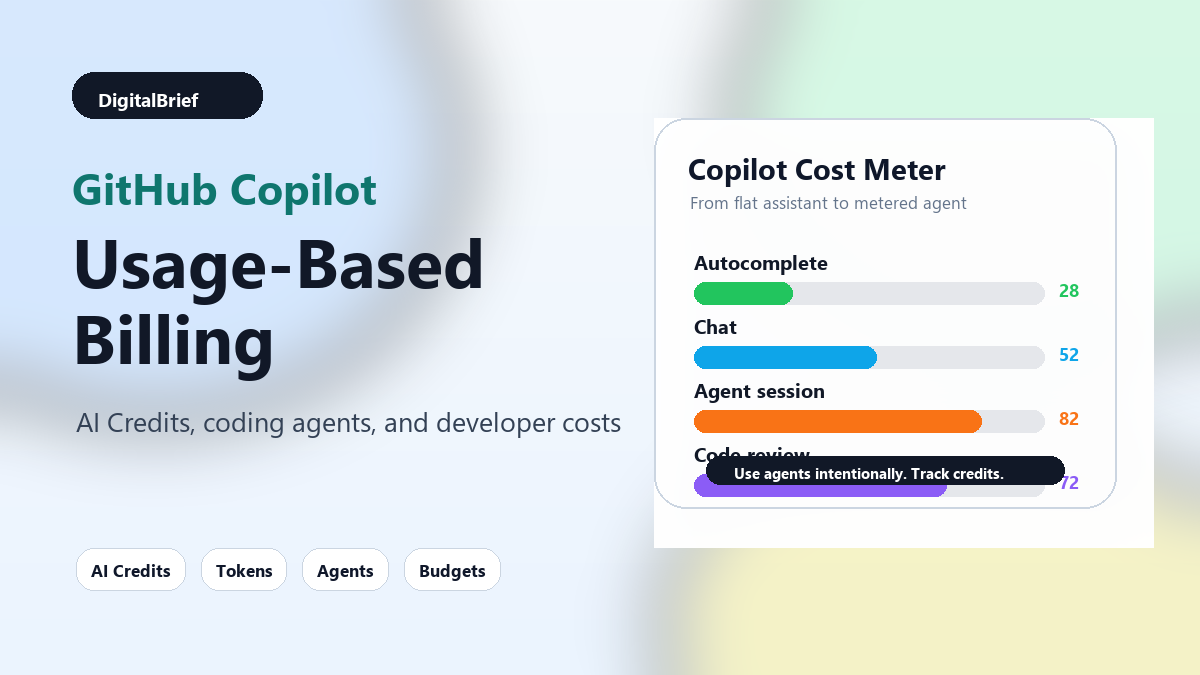
| Copilot workflow | Cost sensitivity | Why it matters |
|---|---|---|
| Inline code completions | Low | GitHub says completions remain included. |
| Next Edit suggestions | Low | These also remain included in all plans. |
| Chat questions | Medium | Cost depends on model, context, and response length. |
| Repository-wide analysis | Medium to high | Large context can increase token usage. |
| Agentic coding sessions | High | Multi-step tasks can run through many prompts and outputs. |
| Copilot code review | High | GitHub says it consumes AI Credits and GitHub Actions minutes. |
This does not mean developers should stop using the advanced features. It means teams need a cleaner operating model.
Why GitHub Says It Made The Change
GitHub’s argument is straightforward: Copilot is more capable now, and more capable AI costs more to run.
A quick code question and a long autonomous coding session can look similar in a simple request-based model, but they are not similar under the hood. A long session can use far more compute, especially when the model is reading files, generating patches, interpreting errors, and trying again.
From GitHub’s side, usage-based billing makes pricing better aligned with actual usage. From the developer’s side, it introduces a new thing to manage.
Both can be true at the same time.
In my experience, developers do not hate paying for useful tools. They hate unclear pricing, invisible consumption, and surprise bills. That is why the success of this change will depend less on the abstract idea of credits and more on how transparent GitHub makes the actual usage experience.
Why Developers Are Worried
The biggest worry is not that Copilot costs money. Developers already know serious AI coding tools cost money.
The worry is unpredictability.
When pricing is based on usage, the same monthly subscription can feel very different for two developers.
- A frontend developer using inline suggestions may barely notice.
- A backend developer using agent mode to debug a large service may consume more credits.
- A team running AI code reviews across many pull requests may need budget controls quickly.
- A power user experimenting with expensive models may burn through credits faster than expected.
This is where things get interesting.
AI coding tools are becoming more like cloud infrastructure. The tool is still inside your editor, but the economics now look closer to API usage, CI minutes, hosted runners, and model inference.
That changes buying behavior. It also changes engineering habits.
GitHub Copilot Plans: What To Watch
GitHub said base plan pricing is not changing. In the official announcement, Copilot Pro remained $10 per month, Copilot Pro+ remained $39 per month, Copilot Business remained $19 per user per month, and Copilot Enterprise remained $39 per user per month.
The visible plan price may be the same, but the practical cost can change if a user or team exceeds included AI Credits.
| Plan area | What changed | What users should watch |
|---|---|---|
| Individual plans | Monthly AI Credits are attached to paid plans. | Heavy chat and agent users should track usage often. |
| Annual individual plans | Some users may remain on legacy pricing until plan expiration. | Renewal timing matters. |
| Business plans | Credits can be pooled across the organization. | Admins should set budgets and monitor team-level usage. |
| Enterprise plans | Budget controls become more important. | Cost centers and user caps should be reviewed early. |
| Code review | Consumes AI Credits and Actions minutes. | Teams should avoid running AI review blindly on every small PR. |
The key takeaway: the subscription price is now only part of the story.
Pros And Cons Of Usage-Based Copilot Billing
There are fair arguments on both sides.
| Pros | Cons |
|---|---|
| Light users are not treated the same as heavy agent users. | Costs can feel less predictable. |
| GitHub can support more powerful models and longer workflows. | Developers may hesitate before using advanced features. |
| Businesses get budget controls and pooled usage. | Admins now have another consumption metric to manage. |
| Pricing better reflects actual compute cost. | Token-based pricing is hard for normal users to estimate. |
| It may reduce the need for strict feature gating. | Power users may see higher total monthly costs. |
Most people miss this: usage-based pricing is not automatically bad. The real issue is whether the product gives users enough visibility and control.
If a developer can see what is expensive, choose cheaper models, set limits, and understand which workflows consume credits, the model can work. If the usage meter feels abstract, trust drops fast.
How This Compares With Other AI Coding Tools
GitHub is not alone here.
The AI coding market is moving toward pricing models that reflect compute. Cursor, Claude Code, OpenAI Codex-style tools, agent platforms, and developer copilots all have to deal with the same basic problem: advanced coding agents can consume a lot of inference.
The more these tools act like junior engineers, the more their workloads resemble actual work sessions rather than single prompts.
| Tool category | Typical pricing pressure | Why costs rise |
|---|---|---|
| Autocomplete assistants | Lower | Short context and short outputs. |
| AI chat inside IDEs | Medium | Longer responses and more file context. |
| Coding agents | High | Multi-step planning, edits, retries, and test loops. |
| AI code review | High at team scale | Runs across pull requests and may touch large diffs. |
| Enterprise AI platforms | Variable | Governance, model choice, and usage patterns matter. |
That is why the Copilot change matters beyond GitHub. It shows where the whole category is going.
Practical Ways To Control Copilot Costs
If you use Copilot casually, you may not need to change much. But if you use it heavily, especially for agentic work, a few habits can help.
1. Use the smallest useful context
Do not ask Copilot to understand the entire repository when one file, function, or error message is enough.
Large context can be useful, but it should be intentional. Start narrow. Expand only when needed.
2. Pick the right model for the job
Not every task needs the most powerful model.
Use stronger models for architecture, hard bugs, complex refactors, and security-sensitive reviews. Use lighter models for quick explanations, simple snippets, and routine transformations.
3. Break big tasks into smaller prompts
A vague request like “refactor this whole service” can send an agent into a long loop.
A better request is specific:
- Find duplicated validation logic in these two files.
- Suggest a smaller helper function.
- Patch only the helper and update the tests.
Smaller tasks are easier to review and often cheaper to run.
4. Watch AI code review usage
Copilot code review can be useful, but teams should decide when to run it.
For example, run AI review on larger pull requests, risky areas, or security-sensitive changes. You may not need it on every typo fix or dependency bump.
5. Set budgets early
For businesses and enterprises, budget controls should not be an afterthought.
Set user-level and team-level limits before usage spikes. It is easier to adjust a budget upward than to explain an unexpected bill later.
6. Teach developers what burns credits
This is the human side of AI governance.
Developers need simple internal guidance. Not a 40-page policy. Just a practical note that explains expensive workflows, preferred models, review rules, and when to use agent mode.
Best Use Cases For Copilot Under The New Model
Copilot can still be very valuable under usage-based billing. The trick is using the right feature for the right job.
| Use case | Why Copilot helps | Cost control tip |
|---|---|---|
| Writing routine code | Inline suggestions save time. | Lean on included completions. |
| Understanding unfamiliar code | Chat can explain logic quickly. | Ask about specific files or functions. |
| Debugging test failures | Agentic help can trace cause and suggest patches. | Provide the exact error and related files. |
| Generating tests | Copilot can cover edge cases faster. | Ask for targeted tests, not broad suites. |
| Reviewing complex PRs | AI can catch missed risks. | Use it selectively for meaningful diffs. |
| Refactoring legacy code | Agents can plan and apply multi-file changes. | Split the migration into phases. |
What This Means For Indian Developers And Startups
For Indian developers, agencies, and startups, the pricing shift deserves extra attention because dollar-denominated AI costs can feel heavier.
A solo developer paying $10 per month may be fine. But a small product team with five or ten developers using agentic coding daily needs to watch usage carefully. The same applies to service agencies that run AI-assisted code review, test generation, and refactoring across multiple client projects.
The best approach is not to ban AI tools. That would be short-sighted.
The better approach is to build a simple AI coding policy:
- Use Copilot autocomplete freely.
- Use chat for focused questions.
- Use agent mode for real work, not curiosity loops.
- Use code review on important pull requests.
- Track monthly usage by developer or project.
- Review model choices every month.
That kind of policy keeps the productivity upside without letting costs drift.
SEO Keyword Cluster Around This Trend
This topic has strong search potential because it combines breaking product change, developer pain, and practical budgeting intent.
| Keyword type | Keywords |
|---|---|
| Primary keyword | GitHub Copilot usage-based billing |
| Secondary keywords | GitHub AI Credits, Copilot pricing 2026, Copilot billing changes, GitHub Copilot cost |
| Long-tail keywords | how to reduce GitHub Copilot AI Credit usage, does Copilot code review use Actions minutes, GitHub Copilot June 2026 billing explained |
| Semantic keywords | AI coding agents, token usage, model pricing, developer productivity, coding assistant pricing |
| Search intent | Developers want a clear explanation, cost impact, and practical ways to avoid surprise usage. |
Future Prediction: AI Coding Will Become More Like Cloud Billing
The bigger trend is clear.
AI coding tools are moving from flat assistant subscriptions to metered development infrastructure. That does not mean every feature will be billed like an API call. But the expensive parts of AI coding, especially long-running agents and heavy code review, will increasingly be managed like cloud resources.
In the next year, I expect three things:
- More AI coding tools will add detailed usage dashboards.
- Teams will create internal AI budgets by project or developer.
- Model routing will become a normal part of developer tooling.
We may also see more tools that automatically choose cheaper models for simple tasks and reserve premium models for hard problems.
That is probably where the market needs to go. Developers should not have to become token accountants. Good tools should make cost-aware decisions in the background while still showing enough detail to build trust.
Featured Snippet: Should You Still Use GitHub Copilot?
Yes, GitHub Copilot is still worth using if it saves meaningful development time. The June 2026 usage-based billing change does not remove Copilot’s value, but it does make heavy chat, agentic coding, and code review workflows more cost-sensitive. Developers should monitor AI Credits, use smaller context, choose models carefully, and set budget controls.
FAQ: GitHub Copilot Usage-Based Billing
What is GitHub Copilot usage-based billing?
GitHub Copilot usage-based billing is the new pricing model where eligible Copilot features consume GitHub AI Credits based on usage, including token consumption and selected model.
When did GitHub Copilot move to usage-based billing?
GitHub announced that Copilot plans would transition to usage-based billing on June 1, 2026.
What are GitHub AI Credits?
GitHub AI Credits are the usage allowance included with Copilot plans. Certain AI actions consume credits, and paid users may be able to buy more depending on plan settings and admin controls.
Do Copilot code completions use AI Credits?
GitHub says code completions and Next Edit suggestions remain included in all plans and do not consume AI Credits.
Does Copilot code review cost extra?
GitHub says Copilot code review consumes GitHub AI Credits and also uses GitHub Actions minutes from June 1, 2026.
Why did GitHub change Copilot pricing?
GitHub says Copilot has become more agentic and compute-intensive. Usage-based billing better matches pricing with actual model and infrastructure usage.
Will GitHub Copilot become more expensive?
It depends on how you use it. Light users may not see much change, while heavy users of chat, agents, large context, and code review may need to manage usage more carefully.
How can I reduce Copilot AI Credit usage?
Use smaller context, ask focused questions, avoid unnecessary repository-wide analysis, pick cheaper models for simple tasks, and set budget controls if you manage a team.
Is usage-based billing bad for developers?
Not automatically. It can be fair if pricing is transparent and controllable. The problem comes when users cannot understand or predict what consumes credits.
What is the biggest risk for teams?
The biggest risk is uncontrolled agentic usage across many developers or pull requests. Teams should define when to use agent mode and code review before usage grows.
Is Copilot still good for startups?
Yes, but startups should treat AI coding as a managed software cost. Use it where it saves real engineering time, then review usage monthly.
Will other AI coding tools follow this model?
Many already are. As AI coding agents become more powerful, usage-based or hybrid pricing is likely to become more common across the market.
Visual Ideas For This Article
- A featured image showing a developer dashboard with AI Credits, code, and a cost meter.
- An infographic comparing old Copilot pricing versus new AI Credit billing.
- A simple chart showing which workflows are low, medium, and high cost sensitivity.
- A checklist graphic for teams: context, model, budget, review, monitor.
Sources And Further Reading
- GitHub Blog: Copilot is moving to usage-based billing
- GitHub Docs: Usage-based billing for individuals
- GitHub Changelog: Copilot code review and Actions minutes
- GitHub Community FAQ: All Copilot plans are now on usage-based billing
Final Thoughts
GitHub Copilot usage-based billing is not just a pricing update. It is a sign that AI coding has entered a more serious phase.
The early version of AI coding felt like a clever assistant sitting beside your editor. The new version feels more like a small cloud service that can plan, read, write, review, and run multi-step tasks. That power is useful, but it needs governance.
For individual developers, the answer is simple: keep using Copilot, but become more intentional with chat and agent workflows.
For teams, the answer is even clearer: set budgets, define usage rules, monitor AI Credits, and teach developers how to use AI coding tools efficiently.
The developers who win in this next phase will not be the ones who avoid AI tools. They will be the ones who use them with enough discipline to get the productivity boost without losing control of the bill.
If you are using Copilot or another AI coding agent, review your usage dashboard this week. Look at which workflows consume the most credits, then build a simple team rule for when to use autocomplete, chat, agent mode, and AI code review.