
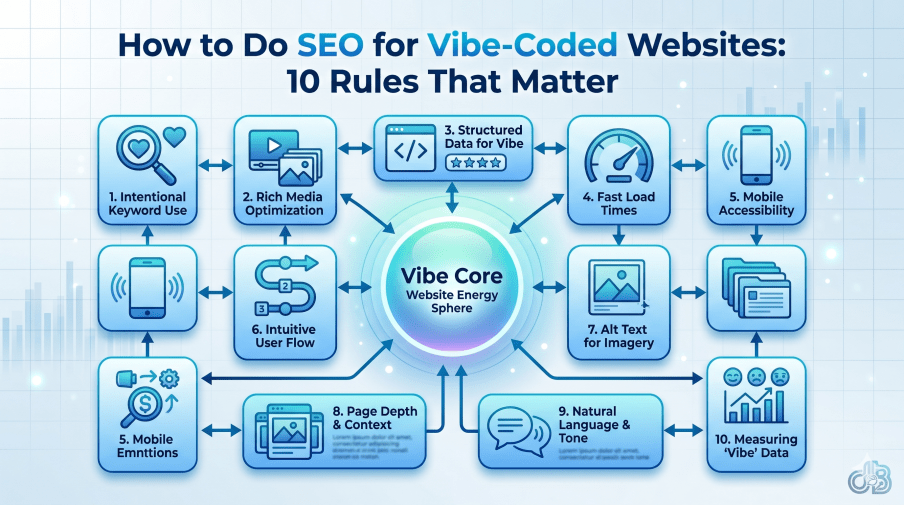
AI website builders can give you a polished site in minutes. The problem starts when that site has to rank, get crawled, and support real marketing.
If you’ve built a site with vibe-coded tools, good design alone won’t save you. A site can look smooth, modern, and expensive, yet still confuse Google from the first crawl. These are the rules that make the difference.
Why AI-built websites often struggle with SEO
Tools like Lovable, Cursor, Sigma, Vercel, Replit, and Claude Code are making website creation much faster. Business owners use them. Agencies use them too. That part makes sense, because the output often looks clean, fluid, and visually strong.
But design speed and SEO readiness are two different things.
A lot of these platforms build sites with heavy JavaScript, loose URL patterns, and default technical settings that work fine for a demo. Once the site goes live, those shortcuts show up in search performance. Pages don’t get indexed correctly. Metadata repeats across the site. Dynamic URLs never make it into the sitemap. Error pages return the wrong status code. Then Google Search Console starts filling up with issues.
AI can build the shell quickly. SEO still depends on how that shell is rendered, linked, and filled with content.
This is why vibe-coded websites need a technical review before you push them into real campaigns. If you set the rules early, or audit them right after launch, you can keep the speed of AI without carrying its SEO mistakes.
The 10 SEO rules that make vibe-coded sites usable
Make server-side rendering your default
This is the first rule because it affects everything else.
Most AI website builders rely on JavaScript, and JavaScript itself isn’t the problem. The bigger issue is client-side rendering. When Googlebot visits a page, it reads HTML first. That happens fast. JavaScript, on the other hand, may take much longer to process. In some cases, that delay can stretch from days to weeks.
If your site sends almost empty HTML and waits for JavaScript to build the page later, Google may see a blank shell on the first crawl. By the time the rest loads, you’ve already lost time that matters for indexing.

The better move is server-side rendering. That way, the content is already present in the HTML when Google arrives. A simple way to think about it is the analogy from the video: watering a crop after it has dried out doesn’t help much. The page needs to be ready before the crawler shows up.
So if you’re building with AI, make this rule clear from the start. Ask for server-side rendering, not client-side rendering, and verify the output after launch.
Clean up your URL structure before the site grows
AI builders don’t care much about URL structure. They care about generating a working site fast. That can leave you with flat URLs, random patterns, inconsistent trailing slashes, and hash fragments in places where they shouldn’t be.
All of that creates SEO friction.
Some pages may end with a trailing slash, while others don’t. Some builders also place # inside URLs. That breaks crawling because Google treats the hash part differently, and those links often don’t behave like clean crawlable paths. The recommendation in the video is simple: keep URLs clean, avoid hash-based paths, and avoid trailing slashes so the site follows one clear pattern.
This matters more than it looks. URL structure affects crawl paths, internal linking clarity, and duplication problems. It’s much easier to define the pattern while the site is being generated than to clean it up after dozens or hundreds of pages exist.
Give every page its own meta title and meta description
JavaScript-heavy setups often apply metadata from one root setting across many pages. That means several URLs can end up with the same meta title and the same meta description.
That’s bad for SEO and bad for click-throughs.
Every important page needs its own title and description that match the actual topic of that page. A services page shouldn’t share metadata with a blog post. A category page shouldn’t inherit the home page title. Yet that happens all the time on AI-built sites because the system uses one template and doesn’t map page-level metadata properly.
Check this manually after publishing. Don’t assume the builder handled it page by page. If multiple pages carry duplicate metadata, fix that before you start wondering why rankings or impressions feel weak.
Add canonical tags, and handle query parameters carefully
Every page should have a canonical tag. If a page doesn’t need to point somewhere else, it should still have a self-referencing canonical.
That simple habit helps search engines understand which URL is the main version. It also reduces confusion when the same content appears through more than one path.
There is one important exception. Pages with query parameters should not point to themselves as canonicals if the clean version of the page exists. In that case, the canonical should point to the clean URL, not the parameter-based one.
This is one of those details AI builders often miss. A lot of people talk as if AI tools already know all SEO rules. They don’t. Canonical handling still needs a human check, especially on filtered pages, tracked URLs, and any page that changes with parameters.
Replace the default favicon with your own brand mark
This sounds small, but it matters.
Many vibe-coded sites ship with a default favicon from tools like Vite or Next.js. That means the browser tab can show the framework logo instead of your brand. It’s a branding problem first, but it also makes the site feel unfinished.
A site that still shows the builder’s default favicon tells visitors, and anyone auditing the site, that key details were left untouched. That isn’t a great look when you’re trying to build trust.
Swap it out early. Use your own logo or a simplified brand icon. It’s a quick fix, and it removes one of the easiest signs that the site was launched without a proper review.
Keep the sitemap accurate, especially for dynamic pages
A sitemap is only useful when it reflects the real site.
Many AI-generated projects handle static pages well enough, but dynamic pages often get missed. That’s common when the sitemap file is created before database-driven pages are added. The result is a sitemap that looks fine at a glance but leaves out the pages you want indexed.
The fix is simple in theory. Run sitemap generation at the end, after all clean URLs exist. Then check that every important page is included. Query parameter URLs should stay out. Clean, unique URLs should go in.
If Google relies on your sitemap to discover deeper pages and the sitemap is incomplete, those pages may take much longer to be found. On a growing site, that slows indexing and hurts visibility.
Your 404 page must return a real 404 status code
AI builders can make great-looking 404 pages. They can add animation, humor, and nice visuals. None of that matters if the page returns 200 OK instead of 404 Not Found.
When that happens, Google sees the page content and the status code telling it the page is valid. Search Console then starts reporting soft 404 errors, because the page behaves like an error page while pretending to be a normal one.
This is easy to miss because the design looks right in the browser. The issue sits in the response code, not the layout. So test it.
If the page is a 404 page, it must return a 404 status. Style it however you want, but keep the server response correct.
Remove redirect chains and old URL hops
AI-built sites often change as you keep editing them. A page starts on one URL, then moves to another, then shifts again after a layout or content change. The builder may add redirects quietly so users still land on the final page.
That helps the visitor in the short term, but it can create crawl waste.
If one URL redirects to a second and that second redirects to a third, Google has to spend extra effort to reach the final destination. On a small site, this is messy. On a large site, it can waste crawl budget and increase crawl depth for no good reason.
Run the site through an HTTP status checker and look for chains. The best version of a URL is the one that opens directly, without extra hops. Use redirects when you truly need them, but don’t let them pile up because the builder kept changing paths during development.
Watch Core Web Vitals after the design is finished
A vibe-coded site can look beautiful and still perform badly.
That’s because AI builders often import far more code than the page needs. Extra libraries, unused components, and heavy scripts can land in the final build even when the visual output looks simple. The builder doesn’t care much if it writes 1,000 extra lines to make the design work. Your SEO does care.
Check for unused JavaScript, CSS, and bulky front-end packages once the site is stable. Keep only the code the page uses. The target shared in the video is clear: keep Core Web Vitals above 90.
A common myth says AI-built pages are always fast because AI writes them quickly. Speed of generation has nothing to do with speed of delivery. A fast build process can still produce a bloated page.
Use only one H1 on each page
Heading structure is easy for humans to ignore and easy for AI to misuse.
Many website builders use H1, H2, and H3 tags as styling tools instead of content structure. So if a page needs four large headings, the builder may turn all four into H1s because they look good that way.
That creates a messy content hierarchy. Search engines then have a harder time reading the main topic of the page.
Each page should have one H1. After that, the rest of the headings should follow a logical order. H2 comes under the H1. H3 sits under the relevant H2. Don’t place H2 or H3 sections above the main H1 just because the design template did it.
This is another setting worth defining early, then checking manually once the page is live.
One rule matters more than all the others: use human-written content
You can use AI to design the site. You can use it to speed up layout, structure, and front-end work. But the words on the page still need a human brain behind them.
Content is the part that carries meaning, judgment, trust, and intent. That is the soul of the page. If the copy is generic, padded, or wrong, technical SEO fixes won’t save the site.
Use AI for layout if you want. Use people for the final message.
If you do use AI writing, treat it as a draft. A human should read it, edit it, verify it, and clean up anything vague or false. Pure AI content can make a site feel empty even when the design looks premium. That’s one of the fastest ways to end up with pages that look finished but don’t perform.
A quick check before you launch
Before you start marketing a vibe-coded site, review the basics one by one. Check rendering. Check URLs. Review metadata and canonicals. Test the sitemap, 404 response, redirects, page speed, and heading structure. Then read the content like a real visitor would.
That short review can save weeks of cleanup later. It can also save you from chasing rankings problems that started with build choices, not with the SEO campaign itself.
Final thoughts
A vibe-coded website can rank well, but only if the technical base is clean. The biggest win is simple: make sure Google can read the page properly before you worry about anything else.
Once rendering, URLs, metadata, and content are under control, the rest gets much easier. Good SEO starts with a site that works cleanly under the hood, not one that only looks good on the surface.





[…] How to Do SEO for Vibe-Coded Websites: 10 Rules That Matter […]