
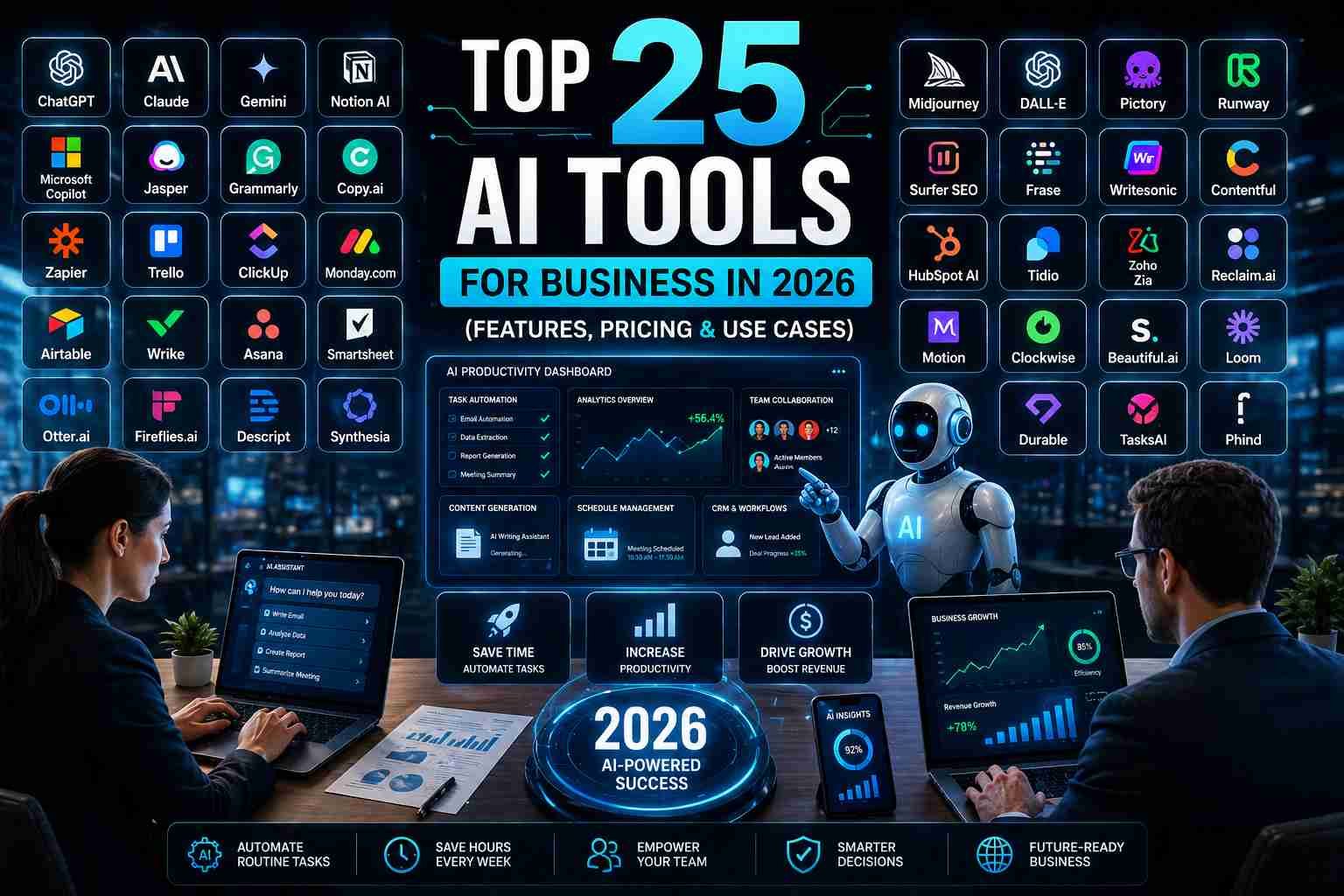
Discover the top 25 AI productivity tools for business in 2026. Compare features, pricing, use cases, integrations, and implementation steps to boost efficiency.
Executive Summary
AI productivity tools are transforming how businesses operate. By 2026, we expect AI assistants to handle repetitive tasks, analyze data, generate content, and streamline workflows. This article surveys 25 top AI tools for business in 2026 across categories like writing, coding, automation, analytics, and more. We group tools by category, compare their features in a comprehensive table, and provide practical guidance. The goal is to help businesses choose and implement AI tools to boost efficiency, ensure ROI, and future-proof operations.

Category Overview and Tool Selection of Top 25 AI Productivity Tools
We selected 25 leading AI productivity tools across ten categories, focusing on proven products and platforms. Tools were chosen based on market presence, capabilities, and relevance in 2026. Each tool summary below includes its purpose and why it’s included:
- AI Writing & Communication: ChatGPT, Google Gemini, Jasper, Grammarly, Notion AI. These assist with content creation, communication, and knowledge work.
- AI Code Assistants: GitHub Copilot, AWS CodeWhisperer, Tabnine. Developers use these to write code faster and fix bugs.
- Automation & Workflow: Zapier, Microsoft Power Automate. For no-code integration and automating business processes across apps.
- Meeting & Transcription: Otter.ai, Fireflies.ai. AI assistants that transcribe meetings and highlight key points.
- Analytics & BI: Tableau (with Einstein Analytics), Microsoft Power BI (with Copilot). AI-driven dashboards and data analysis for insights.
- Customer Support & Chatbots: Ada, Intercom, Zendesk. AI chatbots and assistants for customer service and engagement.
- Design & Creative: Canva, Adobe Firefly, DALL·E 3, Midjourney. Tools for AI image, video, and graphic generation.
- Scheduling & Time Management: Reclaim.ai. AI scheduler that auto-manages calendars, tasks, and focus time.
- Knowledge Management: Mem.ai. An AI note-taking and knowledge base that organizes information contextually.
- DevOps & Security: Snyk Code, Axify. Tools using AI to secure code (Snyk) and analyze software delivery performance (Axify).
Each tool is compared below in a detailed table (and summarized in text) covering its features, use cases, pricing, pros/cons, and integrations.
AI Tools Comparison
| Tool (Category) | One-line Summary | Key Features | Ideal Use Cases | Pricing | Pros / Cons | Integrations | Source |
|---|---|---|---|---|---|---|---|
| ChatGPT (OpenAI) – AI assistant | Conversational AI chat assistant for content creation and Q&A | Chat-based GPT-5.5 engine, custom GPTs, 60+ app integrations (Slack, Google Drive, etc.), fine-tuned for text generation and summarization | Drafting emails, writing content, brainstorming, coding help, meeting summaries | Free tier; Plus: ~$20/mo; Business: (Secure team workspace, SSO); Enterprise: custom | + Extremely versatile, human-like replies; + Broad integrations; + Regular updates. – May hallucinate details; costs scale with usage. | Slack, Google Workspace, Dropbox, Teams, Zoom, CRM platforms, etc. (via business plan) | OpenAI ChatGPT |
| Google Gemini (Google) – AI assistant | Multimodal AI by Google integrated into Workspace | Integrated with Gmail, Docs, Sheets, Slides; “Deep Research” (web queries), text/image/video generation, voice chat | Email and doc drafting, data analysis in Sheets, ideation, research summaries | Included in Google Workspace subscriptions (e.g. Business Standard $14/user/mo) | + Seamlessly integrates with Google apps; + Strong on research and multi-step tasks; + Continual learning from Google Search. – Locked into Google ecosystem; less standalone flexibility. | Gmail, Calendar, Drive, YouTube, Maps (Google apps); Third-party via Google integrations. | Google Workspace AI |
| Jasper – AI content writer | AI content platform for marketing teams | 100+ AI agents (specialized workflows), content pipelines, brand voice enforcement, SEO tools | Generating blog posts, ads, social content, SEO content at scale | Pro: $59/mo (annual) or $69/mo; Business: custom (enterprise features, SSO) | + Tailored for marketing (SEO, personalization); + Collaborative workflows. – Higher cost; learning curve to optimize. | Integrates with SEO platforms, Google Docs, Surfer SEO, WordPress, Shopify. (Custom APIs & plugins) | Jasper.ai Docs |
| Grammarly – Writing assistant | AI-powered grammar, style, and tone checker | Grammar & spell-check, tone/style suggestions, brand style guides, unified terminology, knowledge base for team terminology | Proofreading emails/docs, enforcing company writing standards | Free version (basic checks); Pro: ~$12/mo; Business/Enterprise: $12+ per user/mo (SSO, admin) | + Excellent for grammar/tone; + Easy browser/Office integration; + Enterprise style guide. – Focused on correction (not ideation); not generative (mostly refinement). | Browser extensions, Microsoft Office, Slack integration, Google Docs, other apps (works in any app) | Grammarly for Business |
| Notion AI – Workspace AI | AI assistant embedded in Notion’s note-taking and project workspace | Notion Agent (auto-summarize, task delegation), AI Meeting Notes, project brief generation, linked database QA | Internal documentation, wikis, meeting notes, task management, knowledge searches | Free plan (limited); Plus: $10/user/mo; Business: $20/user/mo (SSO, admin tools) | + Context-aware (uses your Notion data); + Automates meeting notes; + Multi-app integrations. – Only within Notion ecosystem; can be pricey per user. | Slack, GitHub, Asana, Jira, Google Drive (via official integrations) | Notion AI Documentation |
| GitHub Copilot – Code assistant | AI pair-programmer from GitHub/Microsoft | AI code completion in IDE, chat-based code queries, support for numerous languages | Writing code snippets, unit tests, refactoring, documentation generation | Free: limited (50 requests); Pro: $10/user/mo; Pro+: $39/user/mo | + Integrates deeply into dev workflows; + Supports many languages/IDEs; + Improves developer productivity. – Contextual accuracy varies; privacy of code. | IDEs: VS Code, IntelliJ, Visual Studio, Neovim, JetBrains (for adults) | GitHub Copilot Docs |
| AWS CodeWhisperer – Code assistant | Amazon’s AI coding companion integrated with AWS | Real-time code suggestions, multi-language support (Python, JS, Java, etc.), security scan suggestions, policy enforceability | Writing code (especially AWS APIs), accelerating scripting, generating unit tests | Individual tier: Free (unlimited use); Professional: ~$19/user/mo (SSO, code review) | + Native AWS integration, security-focused hints; + Free for individual developers. – Less mature than Copilot; focus on AWS environment. | IDEs: VS Code, JetBrains, AWS Cloud9; AWS tools (CLI); GitHub, CodeCommit | AWS CodeWhisperer Blog |
| Tabnine – Code assistant | Enterprise-grade AI code completion | AI-driven code suggestions, enterprise “Context Engine” for private codebase knowledge, multilingual model support | Secure code completion (privacy-sensitive), large codebase comprehension | Code Assistant: $39/user/mo (annual); Enterprise Platform: $59/user/mo (annual) | + Emphasizes privacy (on-prem/OSS models); + Fine-tunable context aware. – More complex setup; higher cost for full features. | IDEs: VS Code, IntelliJ, Visual Studio, etc.; Jira (via Bot integration) | Tabnine Official Site |
| Zapier – Workflow automation | No-code automation connecting 9,000+ apps | Multi-step “Zaps” (triggers/actions), conditional logic, built-in AI tools (AI Builder), thousands of app integrations | Automating cross-app tasks: data sync (CRM, email, Sheets), notifications, report generation | Free: limited tasks; Starter: $19.99/mo (annually); Professional: $49.99/mo; Team: $69/mo; Enterprise: custom | + Massive app ecosystem; + Easy for non-tech users. – Can be expensive for high volume; no deep AI beyond simple filters. | Slack, Gmail, Google Sheets, Salesforce, Trello, QuickBooks, etc. (~5,000+ apps) | Zapier Pricing; General info |
| Microsoft Power Automate – Workflow automation | Microsoft’s automation platform (cloud and RPA) | Cloud flows, UI flows (RPA), AI Builder (form processing, sentiment, object detection) | Enterprise workflow integration (especially Microsoft ecosystem), RPA tasks, approvals automation | Per user: $15/user/mo (billed annually); Per flow: $150/flow/mo; per bot | + Deep integration with Microsoft 365, Teams, Azure; + Built-in AI models (form processing). – Complexity for non-Microsoft shops; licensing can be confusing. | Office 365, Dynamics, Teams, Azure services, SAP, Oracle, on-prem systems | Power Automate Pricing |
| Otter.ai – Meeting transcription | AI meeting assistant for note-taking | Live transcription, speaker identification, meeting highlights, multi-language support, search transcripts | Recording and transcribing meetings, interviews, webinars | Basic: Free (600 min/mo); Pro: $8.33/user/mo (annual); Business: $19.99/user/mo | + Accurate transcription; + Integrates with Zoom/Teams; + Searchable notes. – Not full audio editing; limited free tier. | Zoom, Microsoft Teams, Google Meet, Webex integrations; also works standalone. | Otter Pricing |
| Fireflies.ai – Meeting assistant | AI meeting recorder and transcription platform | Records audio/video meetings, transcribes speech, creates summaries and tasks, AI search through transcripts | Team meeting notes, action item tracking, knowledge base of calls | Free: limited (800 min/mo); Pro/Business: contact sales (custom) | + Automatic join & record; + Auto-summarize; + Sync with calendars. – Privacy concerns (must invite bot to calls); limited free usage. | Zoom, Teams, Google Meet, Slack, Salesforce, HubSpot | Fireflies.ai Overview |
| Tableau (with Einstein) – BI & Analytics | Visual analytics and BI platform with AI | Drag-and-drop dashboards, AI-driven insights (Einstein Discovery), natural language queries | Data visualization, interactive dashboards for executive decision-making | Tableau Creator: ~$70/user/mo (annual); Viewer: $12; (Einstein Analytics via Salesforce at additional cost) | + Powerful visual analytics; + Salesforce integration (Einstein) for predictions. – Requires data expertise; premium pricing. | Salesforce, Snowflake, AWS, Google BigQuery, databases, spreadsheets, many apps | Tableau Official Site (various) |
| Microsoft Power BI (with Copilot) – BI & Analytics | Microsoft’s BI platform with AI insights | Interactive reports, AI visuals, Q&A (natural language), Copilot AI summarization | Enterprise analytics, data-driven decision making across Microsoft stack | Pro: $10/user/mo; Premium: $20/user/mo for advanced AI features | + Integrates with Azure/M365; + Real-time analytics; + Built-in ML models. – Learning curve for complex reports; some features require Premium. | Microsoft 365, Azure, Teams, GitHub, Dynamics; also connects to SQL, Excel, Salesforce, etc. | Power BI Pricing (Microsoft) |
| Ada – AI customer service chatbot | No-code AI chatbot platform for customer support | Omnichannel chatbots (chat, email, voice), flows & playbooks, real-time analytics, language understanding | Automated customer self-service, 24/7 support, enterprise CX scaling | Custom (enterprise pricing; reports ~$30k/yr start; usage-based) | + High automated resolution (up to 83% cases); + Industry-specific agents; + Heavy enterprise focus. – Expensive enterprise product; implementation complexity. | Connects to Zendesk, Salesforce, Shopify, Jira, Slack, CRM/DB systems | Ada.ai Website |
| Intercom – Conversational support platform | Customer messaging and support suite with AI tools | Shared inbox, chatbots, automated “Fin” AI agent for resolutions, CRM integration, in-app messaging | Customer support & engagement, lead qualification, in-app helpdesk | Essential: $29/seat/mo; Advanced: $85; Expert: $132 (includes AI Copilot and Fin outcomes) | + Modern UI; + Built-in chatbot (Fin) for instant answers; + Sales & marketing features. – Pricing rises with channels and add-ons; can become costly. | Slack, Salesforce, Zendesk, Shopify, MailChimp, HubSpot, helpdesk tools | Intercom Pricing |
| Zendesk (Answer Bot) – Service platform | Customer support platform with AI Agents | Ticketing, knowledge base, live chat, email, voice, plus AI “Answer Bot” for FAQ suggestions | Traditional help desk support, CX analytics, multi-channel support | Suite packages from | + Robust customer service features; + Large app marketplace (1,800+ integrations). – Complex tiers; AI features locked in high-end plans (Enterprise). | 1,800+ apps: Slack, Salesforce, Jira, GitHub, Shopify, Mailchimp, social channels | Zendesk Official Site |
| Canva – Design & creative | Graphic design platform with AI features | Drag-and-drop design; Magic Write (AI text), text-to-image, background remover, brand kits | Creating marketing graphics, presentations, social media posts | Free basic; Pro: $14.99/user/mo or $119.99/yr; Teams (Enterprise): from $29.99/user/mo (annual) | + Very user-friendly; + Extensive templates & assets; + Affordable Pro. – Limited advanced graphics (not Photoshop-level); offline use restricted. | Integrates with social media (publish to Twitter, FB), Google Drive, Dropbox; embeds in websites. | Canva Pricing (2024) |
| Adobe Firefly – Generative design | Adobe’s AI toolset for creatives | Text-to-image, generative fill/edit (Photoshop), vector creation, 3D filters, generative video/audio (Beta) | Professional design: marketing images, concept art, generative photo edits | Included in Creative Cloud: Adobe Express Premium $9.99/mo; All Apps CC $54.99/mo (Firefly features within) | + High-quality, stylized outputs; + Integration with Photoshop/Illustrator; + Enterprise compliance. – Requires Adobe CC ecosystem; usage quotas on models; subscription cost. | Photoshop/Illustrator (generative fill), Adobe Express, stock libraries; (also limited API access) | Adobe Firefly Product Page |
| DALL·E 3 (OpenAI) – AI image generator | OpenAI’s advanced text-to-image model | Highly realistic image generation from text prompts; in-context edits; sensitive content filters | Generating marketing visuals, concept images, website mockups | Included for ChatGPT Plus and Enterprise users; API usage metered (~$0.016 per image) | + State-of-art realism; + Integrated into ChatGPT for easy use; + Versatile creativity. – Quality depends on prompt; may produce bias/artifacts; usage limits on free tiers. | ChatGPT interface, Microsoft Designer integration; API can be used in apps. | OpenAI Blog (DALL·E 3) |
| Midjourney – AI image/video generator | Independent AI lab’s image (and video) generator via Discord | Stylized image and video creation, flexible styles, “Remix” mode, private (Stealth) mode, animated video (Beta) | High-quality creative artwork for ads, concept design, brainstorming visual ideas | Basic: $10/mo; Standard: $30/mo; Pro: $60/mo; Mega: $120/mo (annual discounts) | + Exceptional image quality and unique artistic styles; + Rapid updates (v6, video generation); + Unlimited Gen mode on higher tiers. – Only accessible through Discord (no web UI); public gallery on lower tiers; steep cost for heavy users. | Integrates with Discord communities; limited API (third-party tools exist). | Midjourney Docs |
| Reclaim.ai – AI calendar assistant | Intelligent calendar scheduler | AI-driven smart meetings, tasks, focus time, buffer time, out-of-office sync | Automatically organizing a team’s calendar: blocking focus time, scheduling routines, syncing across calendars | Free (Lite): basic; Starter: $10/user/mo; Business: $15/user/mo (per seat) | + Saves ~40% work time by auto-scheduling chores; + Analytics on time usage; + Integrates tasks (Todoist, Asana). – Reliant on user discipline (tasks input); costs add up per user. | Google Calendar, Outlook; Slack (status), Zoom/Meet, Todoist, Asana, Jira, ClickUp | Reclaim Pricing |
| Mem.ai – AI note-taking | AI “second brain” for knowledge | Automatic note capture, semantic search, GPT-powered summarization, meeting transcriptions (beta) | Organizing personal/company knowledge, meeting notes, email summaries, idea capture | Free: limited (25 notes/mo); Pro: $12/user/mo (unlimited); Teams: custom | + Auto-organizes content (no folders needed); + Very fast search across all notes; + Integrates email/Slack (connected). – Still maturing; mobile experience improving. | Connects with Google Workspace, Slack, email; Zapier integration for other apps. | Mem.ai Pricing |
| Snyk Code – AI code security | AI-driven static code analysis integrated with Snyk | Scans code for vulnerabilities, real-time IDE integration, AI-generated fix suggestions (DeepCode) | Integrating security scanning into development (DevSecOps), finding bugs as code is written | Team: $25/user/mo (billed annually); Free: limited tests; Enterprise: custom with full SDLC security | + Developer-centric security fixes; + Covers OWASP, SAST, IaC; + Integrates in pull requests. – Requires developer buy-in; extra cost per dev. | GitHub, GitLab, Bitbucket, Jira, Jenkins, VS Code, JetBrains, etc. (broad SDLC integrations) | Snyk Plans |
| Axify – DevOps analytics | AI platform for engineering performance analytics | Tracks DORA metrics, delivery prediction, value stream mapping, AI adoption measurement | Measuring engineering velocity, spotting bottlenecks, quantifying AI tool impact | Contact sales (enterprise pricing) | + Turnkey metrics dashboards; + Quantifies AI adoption’s ROI; + Forecasting deliverables. – Enterprise-focused, may be overkill for small teams. | Slack, Microsoft Teams, Jira, Azure DevOps, GitHub, GitLab (development tools) | Axify Feature Overview |
Note: Some pricing and features vary by plan or region. We referenced official product pages and recent reviews. Where specific pricing was not publicly listed (e.g. custom enterprise), we note approximate figures or indicate “contact sales.”
Key Takeaways by Category
- Content & Communication: AI writing assistants (ChatGPT, Gemini, Jasper) now offer near-human content generation. They excel at drafting emails, reports, marketing copy, and translating ideas into text. Grammarly complements by polishing language.
- Development: AI coding aids (Copilot, CodeWhisperer, Tabnine) let developers write code faster and catch errors early. They integrate into IDEs for real-time suggestions.
- Automation: Tools like Zapier and Power Automate let non-developers automate workflows between apps (e.g. send Slack alerts when a CRM lead is created), saving hours of manual work.
- Meetings: Meeting assistants (Otter, Fireflies) capture transcripts and action items automatically, turning spoken info into text and summaries. This ensures no key insight is lost.
- Analytics: BI platforms (Tableau, Power BI) with AI query capabilities help teams visualize data and get predictive insights without heavy analytics skills.
- Support: AI chatbots (Ada, Intercom, Zendesk Answer Bot) can resolve routine customer questions autonomously, reducing load on human agents (often >80% resolution rates).
- Design: Generative image tools (Canva Magic Write, Firefly, DALL·E, Midjourney) let teams produce custom visuals on demand, vastly speeding up creative projects.
- Scheduling: AI calendars (Reclaim.ai) automatically find optimal times for tasks and meetings, freeing up productive “focus time” and preventing overbooking.
- Knowledge: AI note tools (Mem.ai) automatically organize all your notes and highlights, making it easy to retrieve past ideas by concept or context.
- DevOps/Security: Security tools with AI (Snyk Code) integrate scanning into development, catching vulnerabilities early. Analytics tools like Axify measure delivery performance and the impact of AI on engineering.
Implementation Checklist for Businesses
- Identify Goals: Outline which processes or pain points (writing, coding, meetings, support, etc.) to improve. Prioritize use cases like content creation, customer service automation, or team coordination.
- Select and Pilot: Choose a few representative tools (e.g. ChatGPT for writing, Copilot for coding, Otter for meetings) and run small pilot projects. Evaluate ease of use, integration, and benefits.
- Integrate & Train: Connect chosen tools to existing systems (calendars, IDEs, CRM). Provide training and guidance to employees on best practices and prompt design.
- Monitor Impact: Track key metrics (time saved, support tickets deflected, output quality) and gather user feedback. Use these metrics to calculate ROI and adjust usage.
- Scale and Govern: Roll out successful tools across teams. Establish policies (data privacy, security) and ongoing evaluation. Iterate on prompts, workflows, and add new tools as needs evolve.
FAQ: Common Questions on AI Productivity Tools
Q: What is the cost of these AI tools?
A: Many tools offer free tiers (e.g. ChatGPT Free, Canva Free, Otter basic, Zapier free) for trial use. Paid plans vary: individual tools range from ~$8–20/user/month (e.g. Grammarly Pro, Reclaim.ai) to enterprise-level $30–50+ per user/month (e.g. ChatGPT Business, Intercom, Midjourney). Some are usage-based (e.g. OpenAI API). Always compare free vs paid tiers based on needed features.
Q: Are free AI tools good enough, or do we need paid plans?
A: Many tools offer free tiers (e.g. ChatGPT Free, Canva Free, Otter basic, Zapier free) for trial use. Paid plans vary: individual tools range from ~$8–20/user/month (e.g. Grammarly Pro, Reclaim.ai) to enterprise-level $30–50+ per user/month (e.g. ChatGPT Business, Intercom, Midjourney). Some are usage-based (e.g. OpenAI API). Always compare free vs paid tiers based on needed features.
Q: How secure and private are these AI tools?
A: Security varies by tool. Enterprise plans often include enhanced security (SSO, data governance). For example, ChatGPT Business has admin controls and data encryption; Notion AI Business requires verified domains and SSO. For code tools, Tabnine offers on-premises options; Snyk is built for security. Always review each provider’s data policy. Avoid feeding sensitive PII into tools without proper agreements.
Q: Which tools are best for small businesses or startups?
A: Startups may lean on freemium and cost-effective tools. ChatGPT Free or Plus handles content and research. Grammarly Free helps polish writing. Canva Free/Pro covers marketing design cheaply. Zapier Free connectors can automate basic workflows. For customer support, consider Intercom Essential or Ada if budget allows. The key is picking tools that cover multiple needs (e.g. ChatGPT for writing and support with custom GPTs).
Q: What about large enterprises?
A: Enterprises should look at scalable, secure plans: ChatGPT Enterprise for company-wide AI, Microsoft Copilot for integrated Office 365 productivity, and robust BI platforms (Power BI Premium, Tableau Einstein). Enterprise tools also include central management (SSO, user roles), compliance (ISO certifications), and advanced analytics (Axify, Snyk for security).
Q: How do these tools integrate with existing software?
A: Most tools support key integrations. Writing tools plug into email and docs (Grammarly in Outlook, Google Docs). Code assistants work inside common IDEs (Copilot for VS Code, Tabnine for IntelliJ). Automation tools connect via APIs (Zapier and Power Automate support thousands of apps). Chatbots link to CRMs and helpdesk software. Design tools often integrate with social media and cloud storage. See the “Integrations” column above for specifics (e.g. Slack, Salesforce, Zoom, Google apps).
Q: How soon can we expect ROI?
A: Returns depend on use case. For repetitive tasks, ROI can be immediate: e.g. automating scheduling with Reclaim.ai might free hours per week. Content creation tools often pay back in days by saving writing hours. We recommend setting up metrics (time saved, error reduction, increased output) during the pilot phase and tracking them post-launch. Analysts predict that AI tools can boost productivity by 20–40% when integrated properly.
Q: What about data privacy and compliance?
A: Sensitive data considerations are crucial. Use enterprise plans that offer data controls (e.g. ChatGPT Enterprise, Notion Business have data retention policies). Avoid sending personal or confidential data to unknown AI tools. If unsure, look for on-premise or private-cloud offerings. Always read the privacy policy and ensure compliance (GDPR, HIPAA, etc.) for customer data.
Q: How do we choose the right AI tool?
A: Identify the task: writing, coding, scheduling, etc. Then consider: compatibility with your systems, ease of use, user adoption, and cost. For example, if you’re Microsoft-centric, Power Automate and Copilot may fit best. If creative work is key, prioritize tools like Canva or Firefly. Always pilot with a small team, get feedback, and iterate.
Q: What future trends should businesses watch?
A: AI capabilities are expanding rapidly. Expect more “agentic” tools (like Ada’s ACX platform) and custom AI models fine-tuned to your data. Generative AI will improve in niche domains (code-generation evolving, design tools handling video). Ethics and regulation around AI are also evolving; being prepared for changing policies (like how OpenAI and Google adjust data use) will be important.
Q: How reliable and “human-like” is the content?
A: Modern AI (e.g., ChatGPT-5+, Gemini 1.5) can produce very fluent and context-aware content. However, it’s not infallible: always fact-check critical information. Tools like Grammarly and human review are still recommended for final edits. Use AI as a collaborator, not a sole author.
Q: Can these tools work together?
A: Absolutely. For example, you might draft content in ChatGPT, then polish in Grammarly, and schedule in Reclaim. Zapier or Power Automate can connect outputs (like emailing ChatGPT-generated reports). Ensure that the tools you pick allow integrations or have open APIs.
Sources and Further Reading
We prioritized official product pages and documentation for accurate, up-to-date information (2024–2026 releases). Additional insights came from expert reviews and analysis. Each tool’s section above includes references. (We note that the exact pricing for some enterprise plans was estimated or derived from corporate sites.)
Assumptions & Notes: Because no specific list was provided, we assumed leading tools in each category based on current popularity and brand (e.g. including ChatGPT and Google Gemini as major AI platforms). Prices and features were those available as of 2025–2026; always verify on official sites. Where information was unavailable, we indicated pricing as “contact vendor.” Some image-generation tools (e.g. DALL·E 3) have dynamic access models (ChatGPT integrated vs API), so pricing may vary.
This analysis should guide businesses in selecting and implementing AI tools to enhance productivity and competitiveness in 2026 and beyond. Each tool’s column and referenced sources provide a starting point for deeper investigation.



[…] of Might 2, 2026, the artificial intelligence panorama has shifted from a race for sheer parameter measurement to a deal with ‘frontier […]