Vibe coding has moved from a funny internet phrase to a serious way people build software. A founder can describe an app in plain English, watch the tool generate a working interface, ask for fixes, connect a database, and publish a prototype before a traditional project plan is even finished.
That is exciting, but it also creates confusion. The best vibe coding tool depends on who is using it. A non-technical founder needs something very different from a developer who wants AI inside a real codebase. A designer building a landing page does not need the same tool as a SaaS team building authentication, payments, and role-based dashboards.
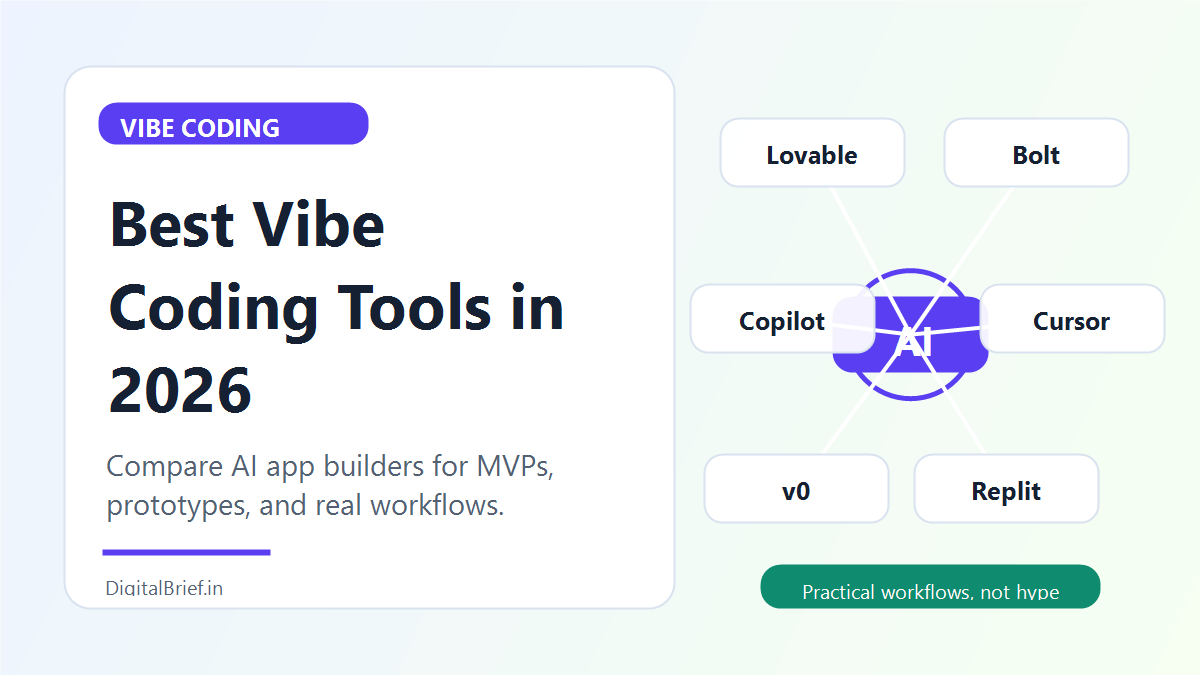
So instead of pretending one tool is best for everyone, this guide compares the best vibe coding tools by use case: no-code builders, browser-based app builders, AI IDEs, UI generators, and developer agents.
What Is a Vibe Coding Tool?
A vibe coding tool lets you build software through conversation. You describe what you want, the AI creates or edits the code, and you keep refining the app with prompts.
Some tools hide most of the code and feel closer to no-code. Others expose the code and behave like a professional development environment with an AI pair programmer.
The practical definition is simple: if you can go from idea to working app by explaining your goal in natural language, it belongs in the vibe coding category.
Quick Comparison Table
| Tool | Best For | Skill Level | Key Strength | Pricing Note |
|---|---|---|---|---|
| Lovable | Non-coders and fast MVPs | Beginner | Design-friendly app generation | Free plan; paid plans from $25/month |
| Bolt | Browser-based full-stack apps | Beginner to intermediate | Runs apps in the browser with WebContainers | Free plan; Pro listed at $25/month |
| Cursor | Developers using real codebases | Intermediate to advanced | AI-native code editor and agent workflow | Free plan; Pro listed at $20/month |
| Replit | Cloud development and deployment | Beginner to intermediate | Build, run, collaborate, and deploy online | Pricing varies by plan |
| v0 by Vercel | UI generation | Beginner to developer | Fast React and interface generation | Useful for frontend prototypes |
| Windsurf | AI IDE alternative | Developer | Agentic coding flow in an editor | Good for code-first users |
| Claude Code | Terminal-based development | Developer | Strong reasoning over code tasks | Best for technical users |
| GitHub Copilot | Everyday pair programming | Developer | Works inside existing dev workflow | Strong enterprise adoption |
| Firebase Studio | Google ecosystem prototypes | Beginner to intermediate | App building with Firebase/Gemini stack | Best for Firebase users |
| Base44 | Simple app builders | Beginner | Business apps without much setup | Good for internal tools |
| Wix Harmony | AI-first website and web app building | Beginner | Visual control plus AI site building | Best for website-first users |
1. Lovable: Best Overall for Non-Technical Founders
Lovable is one of the most popular vibe coding tools because it feels approachable. You describe the app, refine the UI, connect features, and publish without living inside a code editor.
The official Lovable pricing page currently lists a free plan with daily credits and paid plans starting at $25/month. The Pro plan includes more monthly credits, custom domains, credit rollovers, and the ability to remove the Lovable badge.
Best for:
- MVPs
- SaaS mockups
- Internal dashboards
- Founder prototypes
- Client demo apps
Where Lovable shines is speed. If you have an idea for a CRM, lead capture tool, booking page, habit tracker, directory, or dashboard, Lovable can often get you to a usable first version quickly.
The main limitation is that beginners can mistake “working demo” for “production-ready software.” You still need to test authentication, database permissions, forms, payments, mobile responsiveness, and security.
2. Bolt: Best Browser-Based Full-Stack Builder
Bolt, from StackBlitz, is powerful because it runs development inside the browser using WebContainers. The official Bolt pricing page currently lists a free plan and a Pro plan at $25/month billed monthly. The free plan includes daily and monthly token limits, while Pro removes the daily token limit and adds more monthly tokens, custom domain support, SEO boosting, and expanded capacity.
Best for:
- Quick prototypes
- Full-stack web apps
- Developers who want browser-based building
- Students and indie hackers
- App experiments without local setup
Bolt is great when you want to generate, run, edit, and debug in one browser tab. You can see the app working immediately, which makes iteration feel fast.
The tradeoff is token usage. As Bolt explains on its pricing page, larger projects can consume more tokens because the AI has to understand and sync more of the file system.
3. Cursor: Best for Developers Working in Real Codebases
Cursor is not a no-code app builder. It is an AI-native code editor for people who want to work with real files, branches, repositories, rules, and code review habits.
Cursor’s official pricing page currently lists a free Hobby plan, Pro at $20/month, Pro+ at $60/month, Ultra at $200/month, and Teams at $40/user/month.
Best for:
- Developers
- Startup engineering teams
- Existing codebases
- Refactoring
- Debugging
- AI-assisted feature development
If Lovable and Bolt are great for “create something from a prompt,” Cursor is better for “keep building this real product carefully.” It gives developers more control, but it also assumes you understand code well enough to review the output.
4. Replit: Best Cloud Development Workspace
Replit is a browser-based development platform with AI agent features, hosting, collaboration, databases, and deployment. It is especially useful for people who do not want to configure a local development environment.
Best for:
- Cloud coding
- Learning projects
- Team collaboration
- Deployed prototypes
- Students and solo builders
Replit has become closely associated with vibe coding because it lets people create software through conversation and run it in the same environment. The important caution is the same as every agentic coding tool: do not give an AI agent unlimited freedom around production data.
5. v0 by Vercel: Best for UI and React Components
v0 is especially useful when your main problem is interface creation. It can generate React components and UI layouts quickly, which makes it great for landing pages, dashboards, pricing pages, app screens, and design exploration.
Best for:
- React UI
- SaaS landing pages
- Dashboard layouts
- Shadcn-style components
- Frontend prototypes
I would not choose v0 as the only tool for a complex full-stack app. I would use it to quickly create polished UI, then move the code into a real app workflow.
6. Windsurf: Best Cursor Alternative for Developers
Windsurf is another AI coding environment focused on agentic development inside an editor. It is more relevant for developers than non-coders.
Best for:
- AI-assisted coding
- Multi-file edits
- Developer workflows
- Codebase navigation
Choose Windsurf if you want an AI IDE experience and you prefer its interface, pricing, or workflow over Cursor.
7. Claude Code: Best Terminal-First Coding Agent
Claude Code is a better fit for technical users who are comfortable in the terminal. It is useful for analyzing codebases, editing files, reasoning through changes, and handling development tasks through command-line workflows.
Best for:
- Developers
- Codebase analysis
- Refactoring
- Terminal workflows
- Agentic coding tasks
This is not the right first tool for a beginner who wants a visual app builder. It is for people who already know how software projects are structured.
8. GitHub Copilot: Best Everyday AI Pair Programmer
GitHub Copilot is still one of the most practical AI coding tools because it fits into existing developer workflows. It helps with code suggestions, chat, tests, explanations, and routine implementation.
Best for:
- Professional developers
- Teams already using GitHub
- Code completion
- Test writing
- Documentation help
Copilot is not as “magical” as a prompt-to-app builder, but it is extremely useful for daily coding.
9. Firebase Studio: Best for Google/Firebase Builders
Firebase Studio is useful if your app naturally belongs in the Google ecosystem. It can help builders create app prototypes with Firebase services, Gemini assistance, and cloud-connected workflows.
Best for:
- Firebase projects
- Google ecosystem apps
- Lightweight web apps
- Prototype-to-hosting workflows
This is worth considering if your stack already uses Firebase Authentication, Firestore, hosting, or Google Cloud services.
10. Base44: Best for Simple Business Apps
Base44 is aimed at users who want to create business apps without thinking deeply about infrastructure. It is useful for internal tools, forms, dashboards, and simple workflow apps.
Best for:
- Internal tools
- Business dashboards
- Lightweight apps
- Non-technical operators
The value is speed and simplicity. The limitation is that you may outgrow the platform if your app needs custom engineering.
11. Wix Harmony: Best for AI-First Websites
Wix Harmony is interesting because it blends AI generation with visual website control. For users who care more about business websites, landing pages, and web presence than custom software logic, this type of tool can be more practical than a code-first builder.
Best for:
- Business websites
- Landing pages
- Service pages
- Website-first apps
If your project is mostly a site with forms, content, bookings, and commerce, a website platform may be safer than a raw app generator.
Real Case Study: Lovable’s Growth Shows the Demand Is Real
Lovable became one of the clearest market signals for vibe coding. TechCrunch reported in July 2025 that Lovable crossed $100 million in annual recurring revenue only months after launch. That does not prove every app built with Lovable is production-ready, but it does prove that a large number of people are willing to pay for natural-language app building.
At the same time, recent reporting has highlighted security risks around vibe-coded apps, especially when non-technical users publish tools without understanding permissions, databases, and exposed data.
The lesson is balanced: vibe coding is real, useful, and growing, but serious projects still need testing, security review, backups, and human judgment.
Which Vibe Coding Tool Should You Choose?
Choose Lovable if you are a founder, creator, or non-coder who wants a polished MVP quickly.
Choose Bolt if you want a browser-based full-stack builder with live app execution.
Choose Cursor if you are a developer working on a real product or existing codebase.
Choose Replit if you want a cloud development environment with deployment and collaboration.
Choose v0 if your main need is beautiful UI generation.
Choose GitHub Copilot if you want everyday coding help inside your normal developer workflow.
FAQs About Vibe Coding Tools
-
What is the best vibe coding tool for beginners?
Lovable is usually the easiest starting point for non-technical beginners because it focuses on conversational app building and visual iteration. Bolt is also beginner-friendly if you want more control over a full-stack web app.
-
What is the best vibe coding tool for developers?
Cursor is one of the strongest choices for developers because it works like an AI-native code editor for real codebases. Windsurf, Claude Code, and GitHub Copilot are also strong developer-focused options.
-
Is Lovable better than Bolt?
Lovable is often better for non-coders who want a polished app quickly. Bolt is often better for users who want browser-based full-stack development and more visibility into the app environment.
-
Can vibe coding tools build production apps?
They can help build production apps, but you should not publish blindly. Review security, database permissions, authentication, payments, error handling, performance, and backups before using a vibe-coded app in the real world.
-
Are vibe coding tools good for SaaS startups?
Yes, especially for prototypes, MVPs, internal tools, and early validation. For serious SaaS products, you should involve a developer before scaling.
Final Thoughts
The best vibe coding tools are not replacing good product thinking. They are making product thinking faster to test.
If you are new, start with Lovable or Bolt. If you are a developer, use Cursor, Windsurf, Claude Code, or Copilot. If you need UI, try v0. If you want cloud development and deployment in one place, look at Replit.
The real skill is not just prompting. It is knowing what to build, what to test, and when to bring in deeper engineering review.
Sources
- Lovable: Official pricing
- Bolt: Official pricing
- Cursor: Official pricing
- TechCrunch: Lovable crosses $100M ARR
- StackBlitz: WebContainers introduction
- Axios: Vibe coding privacy risks