By the Digital Brief Editorial Team
Last Updated: May 2026 | 11 min read
Vibe Coding 2026 :If you’d told me two years ago that I’d be building fully functional web apps without writing a single line of traditional code, I would have laughed. Yet here I am, in 2026, watching my neighbor—a former barista with zero programming background—ship a SaaS product that made $3,400 in its first month. All thanks to a phenomenon that’s reshaping who gets to call themselves a builder: vibe coding.

Maybe you’ve heard the term buzzing around X (Twitter), YouTube, or even your last awkward Zoom happy hour. Maybe you’ve seen people ship apps in a weekend that would have taken a dev team six months just two years ago. And maybe, just maybe, you’ve wondered: Could I actually do that?
The short answer: Yes, and you can start today—without spending a single dollar.
This absolute beginner’s guide to vibe coding for beginners will walk you through everything you need to know, from what vibe coding actually means (no jargon, I promise) to shipping your first AI-powered app by Sunday evening. I’m going to share a real case study, compare the best tools, and even teach you how to avoid the mistakes that tripped me up when I first dipped my toes into this brave new world of software creation.
What Is Vibe Coding (in Plain English)?
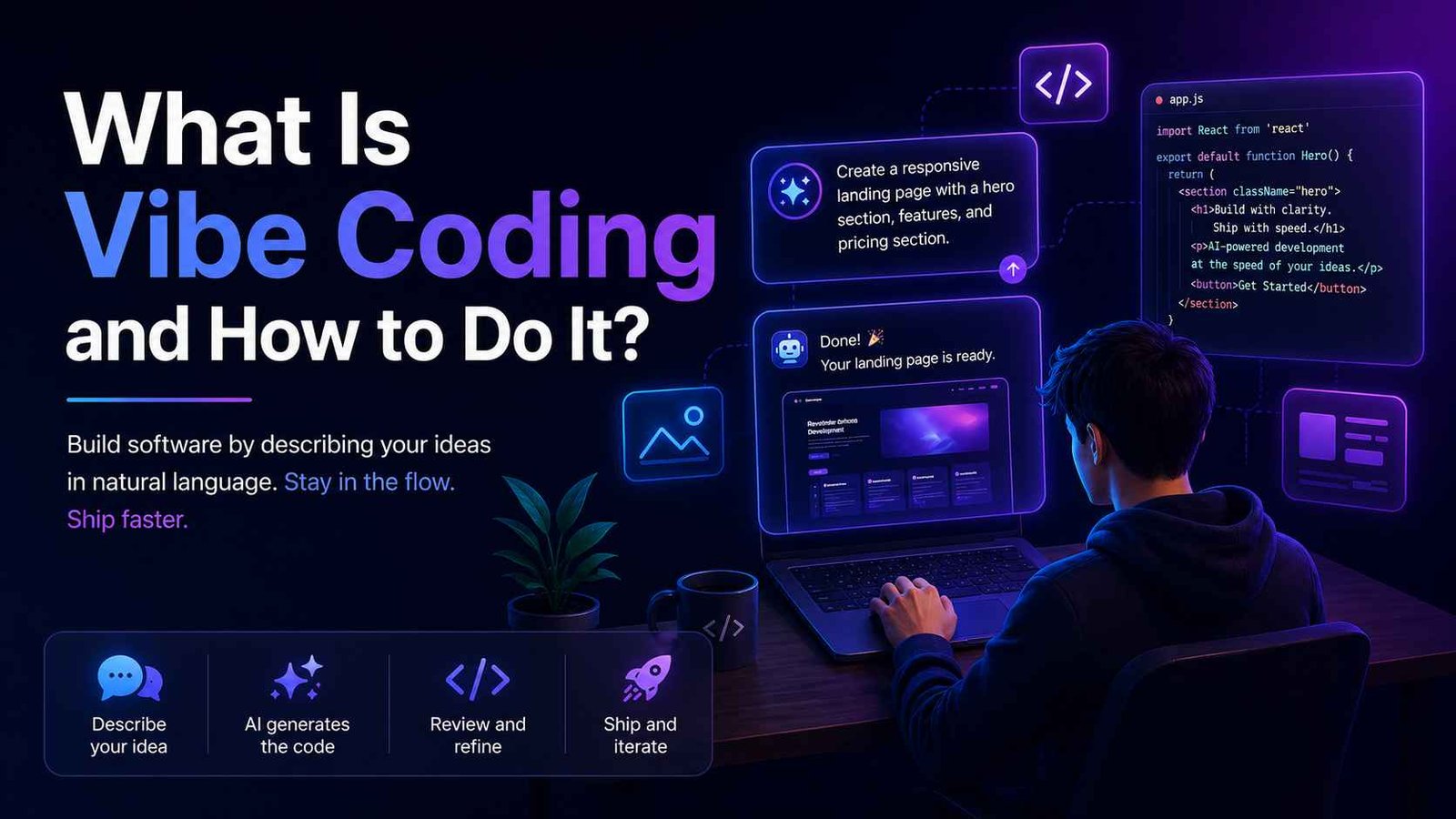
Coined by Andrej Karpathy—former Tesla AI lead and OpenAI co-founder—vibe coding is a development style where you describe what you want in natural language and let an AI coding assistant generate, debug, and iterate on the actual code. You don’t need to memorize syntax, worry about semicolons, or understand what an API endpoint is. You simply “vibe” with the AI, guiding it through conversation until your app comes to life.
MIT Technology Review included vibe coding in its “10 Breakthrough Technologies of 2026” list. Gartner predicts that 60% of all new code will be AI-generated by the end of this year. This isn’t a fad; it’s the biggest shift in software creation since the graphical user interface.
For absolute beginners, vibe coding for beginners means:
- Using tools like Cursor, Windsurf, or GitHub Copilot.
- Prompting the AI with plain sentences like: “Build me a to-do list app with a pink background, a dark mode toggle, and the ability to add tasks with due dates.”
- Watching the AI write, test, and refine the code while you provide feedback and guidance.
It feels less like coding and more like having a senior developer sitting next to you, ready to type out anything you need.
Why 2026 Is the Year of the Non-Technical Builder
Let’s zoom out with some numbers because they’re mind-blowing:
| Statistic | Source |
|---|---|
| 92% of US developers now use AI coding tools daily | GitHub 2026 Developer Survey |
| 41% of all global code is AI-generated | Gartner Q1 2026 |
| 63% of vibe coders identify as non-developers | Cursor Community Report 2026 |
| Average time to ship a minimum viable product (MVP) dropped by 73% | Forbes Tech Council |
What these numbers are really saying: the barrier to building software has collapsed. You no longer need a computer science degree, two years of self-study, or a technical co-founder. You need curiosity, a clear problem to solve, and a willingness to experiment.
I saw this firsthand with a friend I’ll call “Sarah.”
Real Case Study: How Sarah Built a Budgeting App in 48 Hours (with No Coding Experience)
Sarah, 34, worked in retail management. In January 2026, she was tired of Excel budget sheets and wanted a simple app that tracked her spending and sent her WhatsApp reminders. She’d never written a line of code in her life.
Over a single weekend, using Cursor (the free tier) and the Claude 3.5 Sonnet integration inside it, she:
- Prompted the AI: “Create a personal finance tracker web app with a clean dashboard, income and expense categories, and a chart showing monthly trends. Use Replit or a simple HTML/CSS/JS stack.”
- Iterated: She asked the AI to add a WhatsApp notification feature using Twilio. She didn’t know how Twilio worked; she just described what she wanted. The AI generated the integration code and told her exactly where to paste her API key.
- Polished: She asked for a dark mode toggle, rounded corners on cards, and the ability to export a CSV report. The AI handled everything.
By Sunday night, Sarah had a fully responsive app hosted on Replit. She texted me: “This is ridiculous. I feel like I cheated.”
She didn’t cheat. She simply became a vibe coder. Six weeks later, she showed the MVP to a small business owner who wanted a similar tool customized for cash-flow forecasting. That turned into a paid consulting gig worth $2,800.
Sarah’s story is not an outlier. It’s the new normal. If she can do it, you can absolutely do it.
The Best Vibe Coding Tools for Beginners (Free & Paid) in 2026
Choosing the right tool as a beginner is crucial. You want something that minimizes friction, lets you prompt in natural language, and works well with little setup. Here’s a comparison of the top four vibe coding platforms I personally recommend to newcomers.
| Tool | Best For | Free Tier | AI Model Access | Beginner-Friendliness | Standout Feature |
|---|---|---|---|---|---|
| Cursor | Complete beginners who want a full IDE with AI chat | Yes (generous) | GPT-4o, Claude 3.5, Gemini | ⭐⭐⭐⭐⭐ | Composer mode writes entire codebases |
| Windsurf (by Codeium) | Those who want an AI that anticipates their next move | Yes (limited) | Proprietary Flows engine | ⭐⭐⭐⭐ | Cascade mode can build full features |
| GitHub Copilot | Beginners already in the GitHub ecosystem | Free for students/OSS | GPT-4, Claude integration | ⭐⭐⭐ | Deep integration with VS Code |
| Lovable | Absolute no-coders, prompt-to-full-app | Free tier available | GPT-4o, Claude | ⭐⭐⭐⭐⭐ | Instant deploy, no local setup |
My personal pick for absolute beginners in May 2026: Lovable if you want zero setup, Cursor if you’re willing to download an editor and grow into more power.
All these tools have vibrant Discord communities where you can ask questions, share wins, and even find collaborators. I’ve criss-crossed half the internet looking for answers; the community support has always been stellar.
A Step-by-Step Framework for Your First Vibe-Coded Project
Based on my own experiments and Sarah’s story, here’s a simple 5-step framework that turns “I don’t know what I’m doing” into a shipped project.
1. Pick a Painfully Simple Idea
Don’t build the next Notion. Build a habit tracker, an invoice generator, a mood-journal app, or a random restaurant picker. A tiny scope is your best friend.
2. Write Your Core Prompt Like a Brief
Before opening any tool, draft a short brief:
“I want a calorie-tracking PWA with a clean design, a daily log, a progress chart, and the ability to search for foods using the Nutritionix API. Use a color scheme inspired by Apple’s Health app. Include dark mode.”
Providing context up front saves hours of back-and-forth.
3. Start a Fresh Session in Your Chosen Tool
Open Cursor (or your tool of choice), start a new project, and paste your brief as the first prompt. Let the AI scaffold the entire project.
4. Iterate in Baby Steps
Ask for one change at a time:
- “Add a login page using Firebase Auth.”
- “Make the background gradient go from #f0f4f8 to #ffffff.”
- “Add a button to export the daily log as PDF.”
If something breaks, simply tell the AI: “The login button isn’t working; check the console error and fix it.” 99% of the time, it will.
5. Deploy and Share
Use Replit, Vercel, or Netlify (Lovable does this automatically). Once live, share the link. You’ll be surprised by the feedback—and the opportunities that come from it.
4 Common Vibe Coding Mistakes (and How to Avoid Them)
I made all of these, so you don’t have to.
1. Being Too Vague
“Build me a website.” — Nope. Your output will be generic garbage. Be specific about features, design, and tech stack.
2. Skipping Version Control
Even if you don’t know Git, most tools autosave and let you revert. If you’re about to make a huge change, save a snapshot (Cursor has a checkpoint feature). I once nuked an entire authentication flow at 3 a.m. and couldn’t recover it.
3. Not Reviewing the Code
You don’t need to understand every line, but skim the AI’s output occasionally. Sometimes it adds unnecessary duplicates or creates security holes (like embedding API keys). Use the AI to explain any part you don’t trust.
4. Giving Up at the First Error
Error messages are normal. Paste them back into the AI and ask for a fix. It’s like a debugging partner that never sleeps. Persistence is what separates someone who talks about building from someone who ships.
Frequently Asked Questions (FAQ)
Is vibe coding really suitable for someone with zero coding experience?
Absolutely. Vibe coding for beginners was designed exactly for this audience. Tools like Lovable and Cursor use conversational interfaces where you describe what you want. You’re not expected to know syntax or frameworks. Many community members have built and sold apps with no formal background.
What types of apps can I actually build without code knowledge?
You can build dashboards, personal finance trackers, note-taking apps, landing pages, simple SaaS tools, and even full-stack applications with user authentication and database integration. The limit isn’t the technology; it’s your imagination and your ability to describe the product clearly.
How long does it take to learn vibe coding?
Most beginners build a working prototype within a single weekend. Learning to “vibe” effectively—crafting strong prompts and refining output—takes about one to two weeks of consistent practice. The learning curve is remarkably shallow compared to traditional coding.
Are there any risks to using AI-generated code in production?
Yes, but they’re manageable. AI can occasionally introduce security vulnerabilities or overengineered code. Always review for hardcoded secrets, avoid public exposure of API keys, and use secure authentication providers. For production apps, consider a security audit—but for MVPs and personal projects, the risk is minimal.
Can I monetize apps built with vibe coding?
Without question. Many creators sell apps, offer subscription access, or use the app to land freelance clients (like Sarah did). There are no restrictions on commercial use of AI-generated code from tools like Cursor or GitHub Copilot.
What if the AI generates code I don’t understand?
Ask it to explain it. Type: “Explain what this file does in simple terms.” You’ll gradually build up functional knowledge without formal study. This “learning by prompting” is one of the biggest side benefits of vibe coding.
How is vibe coding different from traditional low-code/no-code platforms?
Traditional no-code tools (like Bubble or Webflow) use drag-and-drop interfaces. Vibe coding uses natural language and generative AI to write actual code, giving you far more flexibility, deeper customization, and transferable real-world code you can later tweak manually if needed.
Final Thoughts: You’re Not “Cheating” — You’re Adapting
I’ve heard the pushback: “But you’re not a real developer if you vibe code.”
Here’s my take: the world doesn’t care if you hand-coded your app or prompted it into existence. What matters is whether your app solves a problem, works reliably, and brings value to its users. The tools are just a means to an end, and in 2026, the most successful “developers” are the ones who blend creativity with an AI partner.
So, open Cursor. Start Lovable. Think about that small, annoying problem you’d love to fix with a simple app. Then type: “Build me a…”
That’s all it takes to cross the chasm from consumer to creator. I’ll see you on the other side.
Digital Brief is your trusted guide to AI tools, online earning, and tech news that actually matters. We test, compare, and break down the latest technologies so you can build smarter, earn more, and stay ahead without the fluff.
Internal Links to Explore Next:
- What Is Vibe Coding? The Complete 2026 Guide (Digital Brief)
- Claude Code Tutorial: Build Full-Stack Apps with AI (Digital Brief)
- AI Business Ideas You Can Start with $0
External Sources & Further Reading: